

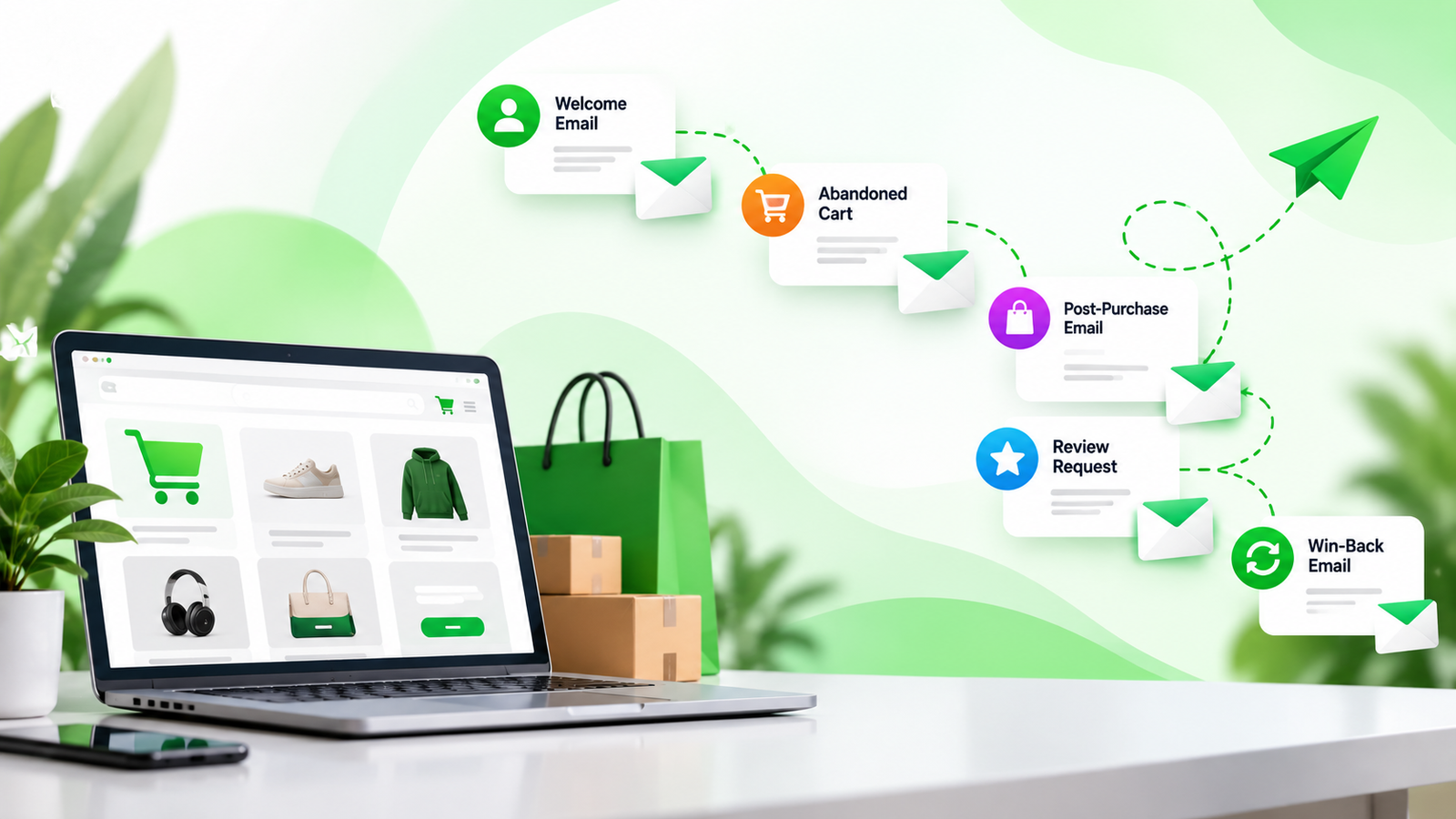
Ecommerce email marketing can become difficult to manage when every customer needs a different message at a different stage of their buying journey. Someone may have just subscribed to your store, while another customer has abandoned their cart, placed an order, or has not purchased anything for several months.
This is where ecommerce email marketing automation becomes valuable.
Instead of manually sending every email, automation allows your store to send relevant messages based on customer actions, preferences, and purchase history. A well-planned automation system can help recover abandoned carts, increase repeat purchases, welcome new subscribers, and build stronger customer relationships.
Whether you run a Shopify store, WooCommerce website, or another ecommerce business, email automation can turn your existing customer data into a consistent marketing channel.
What Is Ecommerce Email Marketing Automation?
Ecommerce email marketing automation is the process of using software to automatically send emails when a specific customer action or condition occurs.
For example, when someone signs up for your newsletter, they can automatically receive a welcome email. If they add a product to their cart but leave without purchasing, an abandoned cart sequence can follow up with them.
Common automated emails include:
- Welcome emails
- Abandoned cart emails
- Browse abandonment emails
- Order confirmation emails
- Post-purchase emails
- Product review requests
- Replenishment reminders
- Cross-sell and upsell emails
- Win-back campaigns
- Birthday or special occasion emails
The key advantage is timing. Instead of sending the same message to your entire customer list, automation lets you communicate with customers based on what they actually do.
Why Automate Ecommerce Email Marketing?
Email automation is not simply about saving time. It can make your marketing more relevant and consistent.
Save Time on Repetitive Marketing Tasks
Without automation, your team would need to manually identify customers who abandoned carts, recently purchased products, or became inactive.
Automation handles these repetitive tasks in the background.
Once a workflow has been properly configured, it can continue sending emails whenever the relevant trigger occurs.
Reach Customers at the Right Time
Timing can have a major impact on ecommerce communication.
For example, an abandoned cart email sent shortly after a customer leaves your website may be more relevant than a generic promotional email sent several days later.
Automation allows you to create these time-based customer journeys in advance.
Recover Potential Lost Sales
Many shoppers add products to their carts without completing checkout.
An abandoned cart flow can remind customers about the products they left behind and encourage them to return.
A simple sequence might include:
- A reminder about the abandoned products
- Helpful information about the product or shopping experience
- A final reminder or relevant incentive when appropriate
Not every abandoned cart requires a discount. Sometimes customers simply need a reminder or additional information before making a decision.
Increase Repeat Purchases
The customer journey should not end after the first purchase.
Post-purchase automation can introduce complementary products, provide helpful product information, request reviews, and remind customers when they may need to purchase again.
This can help turn one-time buyers into returning customers.
Essential Ecommerce Email Automations
A successful ecommerce email strategy usually includes several automated flows rather than relying on one campaign.
1. Welcome Email Series
The welcome flow is often the first automated conversation you have with a new subscriber.
A good welcome series can introduce your brand, explain what makes your products different, and help the subscriber understand what they can expect from your emails.
A basic sequence could include:
Email 1: Welcome and introduction
Email 2: Brand story, benefits, or popular products
Email 3: Helpful content, social proof, or a relevant offer
Keep the sequence focused on building trust rather than immediately pushing sales in every email.
2. Abandoned Cart Flow
Abandoned cart automation is one of the most common ecommerce workflows.
When a customer adds products to their cart but does not complete checkout, the flow can automatically send a reminder.
The first email should generally focus on the products the customer left behind. Later emails can address common concerns such as shipping, returns, product quality, or customer reviews.
For example:
Email 1: You left something behind
Email 2: Product benefits or customer reviews
Email 3: Final reminder
The exact timing should depend on your customer journey and purchasing cycle.
3. Browse Abandonment Flow
Browse abandonment targets visitors who viewed products but did not add them to their cart.
This is different from abandoned cart automation because the customer showed interest without necessarily taking the additional step of adding the product to their cart.
A browse abandonment email could remind the customer about the product and provide useful information that helps them continue evaluating it.
4. Post-Purchase Email Flow
After someone places an order, your communication should not stop.
Post-purchase emails can help customers get more value from their purchase while keeping your brand connected to them.
Depending on your products, you could send:
- Order and shipping updates
- Product usage information
- Care instructions
- Helpful tips
- Review requests
- Related product recommendations
- Reorder reminders
The goal is to make the customer experience better while creating opportunities for future purchases.
5. Cross-Sell and Upsell Automation
Once a customer purchases a product, you may have useful information about their interests.
For example, someone who purchases a camera may be interested in a compatible memory card or tripod. Someone purchasing skincare may eventually need another product that complements their routine.
A cross-sell email recommends a related product, while an upsell encourages the customer to consider a higher-value option.
The recommendations should be relevant rather than simply promotional.
6. Replenishment Emails
Some ecommerce products are purchased repeatedly.
Skincare, supplements, cosmetics, pet supplies, household products, and other consumables can benefit from replenishment reminders.
Instead of waiting for the customer to remember to reorder, you can estimate when they may need another purchase based on previous buying behavior.
For example:
Your previous order may be running low. Need to restock?
The timing should reflect the typical product usage period rather than sending reminders too frequently.
7. Win-Back Email Flow
Not every customer will continue purchasing regularly.
A win-back flow can target customers who have not purchased within a defined period.
The sequence could remind them about the brand, highlight new products, share useful content, or provide a relevant incentive.
Avoid sending repeated discounts to inactive customers without understanding why they stopped buying.
8. Review Request Automation
Customer reviews can provide useful information for both shoppers and brands.
After a customer has had enough time to receive and use a product, an automated review request can ask them to share their experience.
You can also use this opportunity to ask for feedback about the purchasing experience.
Make sure your review requests follow applicable laws and the policies of the platforms you use.
How to Build an Ecommerce Email Automation Strategy
Creating dozens of flows does not automatically create a good email strategy.
Start with the customer journey.
Step 1: Identify Important Customer Actions
Look at what customers do before and after purchasing.
Typical events include:
- Newsletter signup
- Product viewed
- Product added to cart
- Checkout started
- Purchase completed
- Repeat purchase
- Customer becoming inactive
These events can become triggers for your automated workflows.
Step 2: Segment Your Customers
Your entire customer database should not receive the same emails.
Useful ecommerce segments can include:
- New subscribers
- First-time customers
- Repeat customers
- High-value customers
- Recent purchasers
- Customers who have not purchased recently
- Customers interested in specific product categories
Segmentation makes automation more relevant and reduces unnecessary emails.
Step 3: Define the Goal of Each Flow
Every automation should have a clear purpose.
For example:
Welcome flow: Build trust and introduce the brand.
Abandoned cart flow: Encourage customers to complete their purchase.
Post-purchase flow: Improve the customer experience and encourage future engagement.
Win-back flow: Re-engage inactive customers.
Having one clear goal makes it easier to write better emails and measure performance.
Step 4: Choose the Right Trigger
Your trigger determines when the automation starts.
For example:
Customer subscribes → Welcome flow
Customer adds product to cart → Abandoned cart flow
Customer purchases product → Post-purchase flow
Customer has not purchased for 90 days → Win-back flow
Your email platform may provide many additional triggers and conditions depending on the data available.
Step 5: Create a Logical Email Sequence
Avoid sending several emails that all say the same thing.
Each email should add something new.
For example, an abandoned cart sequence could move from a simple reminder to product education and then to a final message.
This gives the customer a reason to open each email instead of seeing repeated promotional messages.
Personalization in Ecommerce Email Automation
Personalization can make automated emails feel more relevant.
Basic personalization might include the customer’s name or the product they viewed.
More advanced personalization can use:
- Previous purchases
- Product categories viewed
- Purchase frequency
- Average order value
- Location
- Customer lifecycle stage
- Email engagement
- Product preferences
However, personalization should have a purpose.
Adding a customer’s first name to an email does not automatically make it useful. The content should be relevant to the customer’s situation.
How to Measure Automated Email Performance
After launching your flows, measure their performance regularly.
Important metrics include:
Open Rate
Open rate can provide an indication of how effectively your subject lines and sender information attract attention. However, open tracking has limitations, so it should not be viewed in isolation.
Click-Through Rate
Click-through rate shows how often recipients click links within your emails.
This can help you understand whether your content and calls to action are encouraging further engagement.
Conversion Rate
Conversion rate measures how many recipients complete the desired action, such as making a purchase.
For ecommerce brands, this is often one of the most important metrics.
Revenue Per Recipient
Revenue per recipient can help you compare the commercial contribution of different email campaigns and automated flows.
Unsubscribe Rate
A high unsubscribe rate may indicate that customers are receiving too many emails or that the content is not relevant to them.
Monitor this alongside engagement and conversion metrics.
Common Ecommerce Email Automation Mistakes
Automation can create problems when it is set up without considering the complete customer journey.
Sending Too Many Emails
More emails do not necessarily mean more sales.
If customers receive emails from multiple campaigns and flows at the same time, they may become overwhelmed.
Use frequency controls and exclusions where your email platform supports them.
Ignoring Recent Purchases
A customer who has just purchased should not continue receiving an abandoned cart message for the same product.
Your flows should contain appropriate conditions that remove or suppress customers when they complete the desired action.
Making Every Email Promotional
Customers do not only want discounts.
Useful educational content, product guidance, helpful tips, and post-purchase support can make your emails more valuable.
Setting Up a Flow and Never Reviewing It
Customer behavior changes over time.
Review your automated flows regularly and look for changes in engagement, conversions, revenue, unsubscribes, and customer feedback.
Test different subject lines, content, timing, calls to action, and offers where appropriate.
Ecommerce Email Automation Tools
Several platforms can help ecommerce businesses build automated email workflows.
For Shopify stores, popular options include platforms such as Klaviyo, Omnisend, Shopify Email, and other marketing automation solutions.
The right platform depends on your store size, customer database, integrations, automation requirements, reporting needs, and budget.
Before choosing a platform, consider whether it can connect properly with your ecommerce store and capture the customer events you need.
How to Create a Simple Ecommerce Automation System
If you are starting from scratch, you do not need to build dozens of workflows immediately.
A practical starting point is:
- Welcome flow
- Abandoned cart flow
- Post-purchase flow
- Review request flow
- Cross-sell flow
- Replenishment flow
- Win-back flow
Once these workflows are working properly, you can introduce more advanced segmentation and behavioral automation.
The goal is not to automate every possible customer interaction. The goal is to automate the interactions where timely and relevant communication can genuinely improve the customer experience.
Final Thoughts
Ecommerce email marketing automation can help online stores communicate with customers consistently without requiring marketers to manually send every message.
The strongest automation strategies are built around customer behavior. Instead of sending the same promotional email to everyone, you can create different journeys for subscribers, shoppers, first-time buyers, repeat customers, and inactive customers.
Start with a few essential workflows, create useful content, monitor the results, and improve your automations over time.
When email automation is connected properly with your ecommerce store, it becomes more than a way to send promotional messages. It can become an important part of the entire customer journey, from the first website visit through repeat purchases and long-term customer relationships.
Frequently Asked Questions
Q1. What is ecommerce email marketing automation?
Answer: Ecommerce email marketing automation uses software to automatically send emails based on customer actions, such as subscribing, abandoning a cart, purchasing a product, or becoming inactive.
Q2. What ecommerce emails should I automate first?
Answer: Start with essential workflows such as welcome emails, abandoned cart emails, post-purchase emails, review requests, and win-back emails. These cover several important stages of the customer journey.
Q3. Can email automation increase ecommerce sales?
Answer: Email automation can support ecommerce revenue by recovering abandoned carts, encouraging repeat purchases, promoting relevant products, and re-engaging inactive customers. Results depend on factors such as product-market fit, audience quality, email content, timing, and overall customer experience.
Q4. How often should automated ecommerce emails be sent?
Answer: There is no universal frequency that works for every store. Timing should depend on the customer journey, product type, purchase cycle, and purpose of the flow. Monitor engagement, conversions, and unsubscribes to find an appropriate frequency for your audience.