

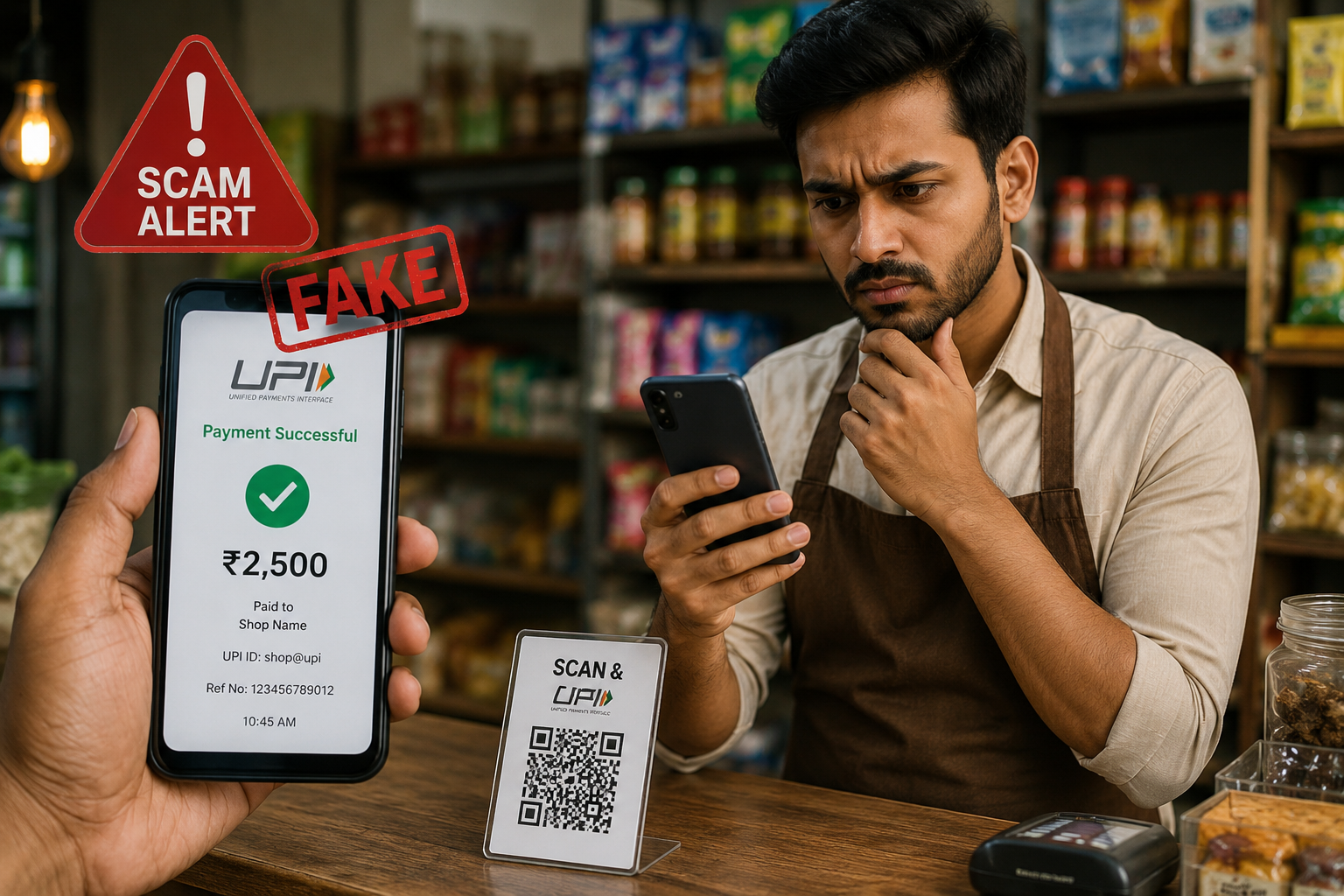
Digital payments have transformed the way we buy, sell, and transfer money. With just a few taps, you can send money using apps like Google Pay, PhonePe, Paytm, or BHIM. While these platforms are secure, scammers have found new ways to exploit people’s trust using fake UPI payment apps.
One of the most common scams today involves fraudsters showing fake payment confirmation screens or fake transaction receipts to convince shopkeepers and sellers that a payment has been made. Unfortunately, many businesses, especially small retailers, fall victim to these scams every day.
In this guide, you’ll learn how fake UPI payment apps work, why scammers use them, the warning signs to watch for, and practical steps you can take to protect yourself.
What Is a Fake UPI Payment App?
A fake UPI payment app is a fraudulent application designed to create fake payment confirmations without actually transferring any money.
These apps imitate the appearance of legitimate payment apps such as Google Pay, PhonePe, or Paytm. They allow users to enter any amount, receiver name, transaction ID, and payment time. Once the details are entered, the app generates a convincing looking payment success screen.
The goal is simple. Trick the receiver into believing that payment has been completed.
Unlike official UPI apps, these fake apps are not connected to any bank account or payment network. No money is transferred.
How Do Fake UPI Payment Apps Work?
The scam is surprisingly simple.
A scammer visits a shop or buys something from an online seller. Instead of making a genuine UPI payment, they open a fake payment app and generate a fake payment success screen.
The screen usually includes:
- A fake payment amount
- A fake transaction ID
- A payment success message
- The receiver’s name
- A realistic looking interface copied from popular UPI apps
The scammer quickly shows the screen to the shopkeeper and leaves before the seller checks whether the money has actually arrived.
Since many people are busy serving customers, they often rely on the screenshot instead of checking their bank balance.
That is exactly what scammers are counting on.
Why Are These Fake Apps So Convincing?
Modern fake payment apps are designed to look almost identical to genuine payment applications.
Some even copy:
- Fonts
- Colors
- Logos
- Payment animations
- Success sounds
- Fake timestamps
- Fake reference numbers
To someone who glances at the screen for only a few seconds, everything appears genuine.
Common Fake UPI Scam Scenarios
Fake Payment Screenshot
The scammer shows a screenshot claiming the payment has already been completed.
The seller hands over the product without verifying the transaction.
Fake Payment Animation
Instead of using a screenshot, scammers generate a live payment success animation to make it appear more authentic.
Delayed Payment Excuse
The scammer says:
“Sometimes banks take a few minutes.”
They encourage the seller to wait while leaving with the goods.
Fake SMS Notification
Some fraudsters even use fake SMS generator apps to display payment confirmation messages.
These messages are completely fabricated.
Social Media Marketplace Scam
When purchasing or selling products through Facebook Marketplace or Instagram, scammers often send edited payment screenshots claiming they have already transferred the money.
The seller ships the item without receiving any payment.
How Can You Tell If a UPI Payment Is Fake?
Fortunately, there are several warning signs.
Your Bank Balance Hasn’t Changed
The safest confirmation is checking your bank account or official UPI app.
If the money is not there, the payment has not been completed.
No Bank Notification
Legitimate UPI transactions generate notifications from your bank or payment app.
If you receive nothing, verify before handing over the product.
Screenshot Instead of Live Confirmation
Scammers often insist on showing only a screenshot.
Screenshots can be edited within minutes.
They Rush You
Fraudsters create urgency.
They may say:
- “I’m getting late.”
- “The network is slow.”
- “You’ll receive it in a minute.”
Never let pressure replace verification.
Payment History Doesn’t Match
Always open your own UPI app and verify the transaction in your transaction history.
Why Small Businesses Are Easy Targets
Small retailers, grocery stores, petrol pumps, pharmacies, cafes, and street vendors process hundreds of small payments every day.
Because of the rush, many rely on visual confirmation instead of checking their payment history.
Scammers take advantage of this busy environment.
Even losing a few thousand rupees every week can significantly affect a small business.
10 Ways to Protect Yourself from Fake Payment Scams
1. Always Check Your Bank Account
Never rely on a screenshot.
Confirm that the payment has actually been credited.
2. Verify Inside Your UPI App
Open your own Google Pay, PhonePe, Paytm, or BHIM app and verify the transaction.
Only trust your own payment history.
3. Wait for Official Notification
A genuine transaction normally appears almost instantly.
If there is no confirmation, verify before completing the sale.
4. Never Trust Screenshots
Screenshots can easily be edited using free mobile applications.
Treat them as proof of nothing.
5. Check the Transaction ID
If necessary, compare the transaction ID inside your own payment app.
Do not rely solely on what the customer shows.
6. Train Your Employees
If you own a business, educate your staff about fake UPI scams.
Most fraud succeeds because employees have never seen these tricks before.
7. Use Payment Sound Boxes
Many businesses now use official payment sound devices that announce successful payments directly from the payment provider.
These devices reduce the risk of fake confirmations.
8. Enable Instant Notifications
Turn on push notifications for your banking app.
This allows you to verify payments immediately.
9. Stay Calm Under Pressure
Scammers often rush their victims.
Take a few seconds to confirm the payment before handing over goods.
10. Report Suspicious Activity
If someone attempts to use a fake payment app, report the incident to local authorities or cybercrime officials.
Reporting helps prevent future fraud.
What Should You Do If You’ve Been Scammed?
If you discover that you’ve accepted a fake payment:
- Save CCTV footage if available.
- Take screenshots of any conversations.
- Record the scammer’s phone number or vehicle details.
- Contact your local police station.
- File a complaint through the National Cyber Crime Reporting Portal.
- Inform your bank if necessary.
Quick action increases the chances of identifying the scammer.
Are Official UPI Apps Safe?
Yes.
Official UPI apps such as Google Pay, PhonePe, Paytm, BHIM, and banking apps use strong encryption and secure banking systems.
The problem is not the UPI system itself.
The scam occurs when criminals trick people into believing a fake payment has been made.
UPI remains one of the safest digital payment methods when users verify transactions correctly.
Final Thoughts
Fake UPI payment apps do not hack banks or steal money directly. Instead, they exploit human trust and distraction.
The easiest way to avoid becoming a victim is simple:
Never trust a screenshot.
Always verify payments using your own banking or UPI application before handing over products or completing a transaction.
Whether you’re a shop owner, freelancer, online seller, or everyday consumer, taking just a few extra seconds to confirm a payment can save you from financial loss.
Awareness is your strongest defense against digital payment scams.
Frequently Asked Questions
Q1. What is a fake UPI payment app?
Answer:
A fake UPI payment app is a fraudulent application that creates fake payment confirmation screens without transferring any money. These apps imitate genuine payment apps to deceive sellers into believing payment has been completed.
Q2. Can fake UPI apps actually transfer money?
Answer:
No. Fake UPI apps do not connect to banks or the official UPI network. They only generate fake payment receipts or success screens. No real transaction takes place.
Q3. How can I verify whether a UPI payment is genuine?
Answer:
The safest method is to check your own bank account or official UPI app. If the payment appears in your transaction history and your balance has been updated, the transaction is genuine. Never rely solely on screenshots or messages shown by the sender.
Q4. What should I do if someone shows me a fake payment confirmation?
Answer:
Do not hand over goods or services until you have verified the payment in your own banking or UPI application. If you suspect fraud, save any available evidence, such as CCTV footage or chat records, and report the incident to your local police or the National Cyber Crime Reporting Portal.