

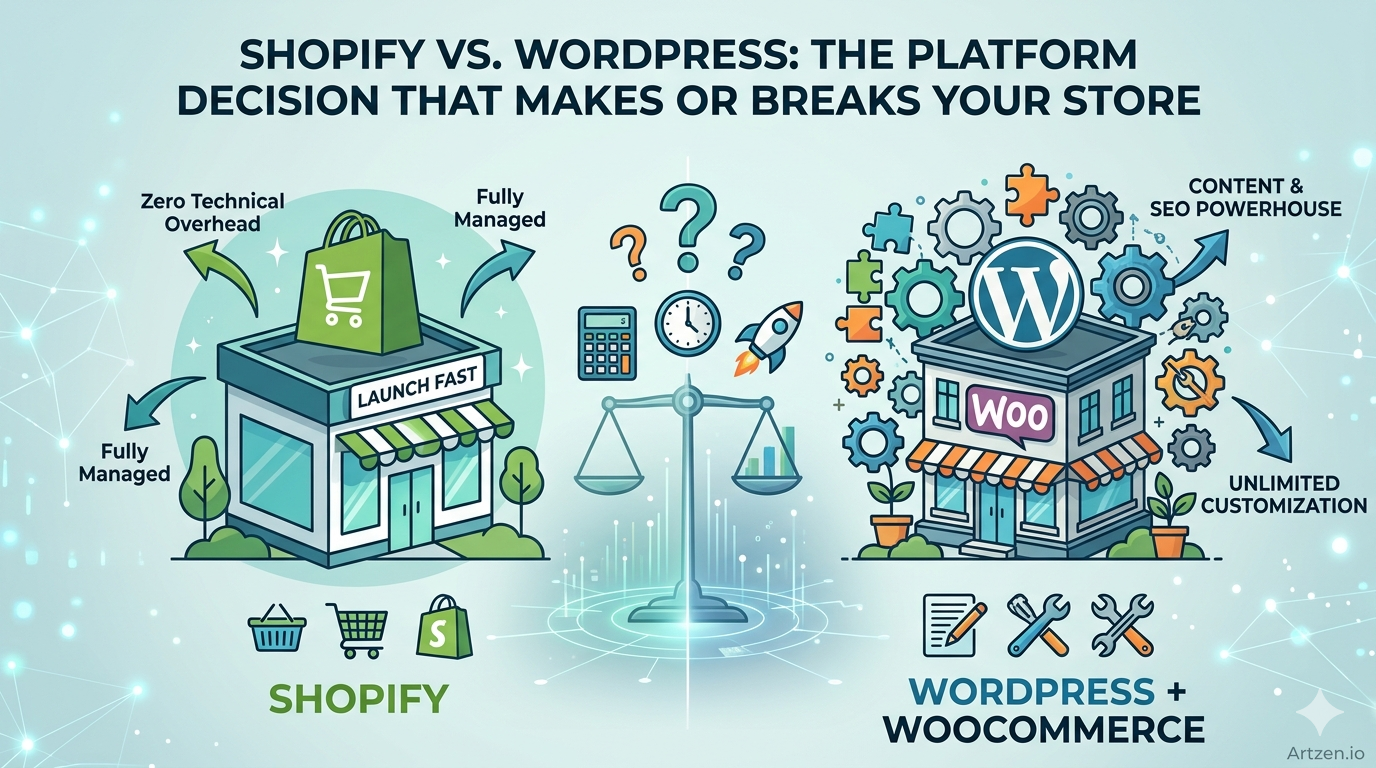
The Platform Decision That Can Make or Break Your Store
Here’s the honest truth most platform comparison articles won’t tell you: choosing between Shopify and WordPress isn’t just a tech decision. It’s a business strategy decision one that will shape your SEO trajectory, your developer costs, your scalability ceiling, and your ability to compete five years from now.
Every week, business owners launch stores on the wrong platform. Not because they’re uninformed, but because the internet is full of surface-level comparisons that don’t actually answer the question at hand: which platform is right for my specific business, my budget, and my growth goals?
Pick Shopify when your store needs it most, and you’ll launch faster, sell sooner, and sleep better. Pick WordPress + WooCommerce for the right use case, and you’ll have a content and SEO powerhouse that no hosted platform can match. Pick wrong, and you’ll be rebuilding your store 18 months from now which is expensive, painful, and entirely avoidable.
This guide cuts through the noise. We’ve analyzed real-world stores, SEO performance data, and 2026 platform updates to give you the clearest possible picture.
Quick Comparison: Shopify vs WordPress at a Glance
| Feature | Shopify | WordPress + WooCommerce |
| Ease of Use | Beginner-friendly | Moderate learning curve |
| SEO Capability | Strong, improving | Best-in-class |
| Pricing | $39–$399/month (predictable) | $0–$50+/month (variable) |
| Customization | Good within limits | Unlimited |
| Scalability | Enterprise-ready | Scalable with proper hosting |
| Security | Managed, PCI-compliant | Your responsibility |
| Maintenance | Fully managed | You handle updates |
| Site Speed | Fast by default | Depends on setup |
| Blogging | Basic but functional | Built for content |
| Apps/Plugins | 8,000+ apps | 59,000+ plugins |
| Best for Beginners | Yes | With guidance |
| Best for Large Stores | Shopify Plus | With proper infrastructure |
What Is Shopify?
Shopify is a fully hosted eCommerce platform. You sign up, choose a theme, add your products, connect a payment gateway, and you’re selling often within a day. The platform handles hosting, security, software updates, and PCI compliance so you never have to think about them.
Launched in 2006 and now powering over 4.6 million active stores globally (including brands like Gymshark, Allbirds, and Kylie Cosmetics), Shopify has matured into a serious eCommerce infrastructure layer, not just a “starter” platform.
Shopify Pros
- Zero technical overhead. No servers to manage, no updates to run, no security patches to apply.
- Reliable uptime. 99.98% uptime SLA. During peak traffic events like Black Friday, Shopify’s infrastructure has processed $9.3 billion in a single day.
- Integrated payments. Shopify Payments eliminates transaction fees and simplifies checkout.
- App ecosystem. 8,000+ apps cover everything from subscription billing to AI-powered product recommendations.
- Speed. Shopify’s global CDN delivers fast load times out of the box no optimization required on your part.
- 2026 AI features. Shopify Magic now generates product descriptions, SEO metadata, and email campaigns natively.
Shopify Cons
- Ongoing subscription cost. At $39–$399/month plus transaction fees, costs stack up over time.
- Limited content architecture. The blog module is basic. Shopify was built for selling, not publishing.
- URL structure constraints. Product URLs include “/products/” and collection URLs include “/collections/”you can’t change this, which has minor SEO implications.
- Customization ceiling. Deep structural customization requires Liquid (Shopify’s templating language) knowledge or a developer.
- Export dependency. Migrating away from Shopify is possible but requires planning you don’t fully “own” the infrastructure.
Best For: Product-focused businesses that want to launch fast, sell immediately, and stay focused on growth rather than technical management.
What Is WordPress + WooCommerce?
WordPress is the world’s most popular CMS, powering approximately 43% of all websites. On its own, it’s a publishing platform. Add the WooCommerce plugin, and it becomes a fully customizable eCommerce engine.
WooCommerce isn’t a separate product it’s an open-source plugin that transforms WordPress into a store. Because both are open-source, you own everything: your code, your data, your architecture.
WordPress + WooCommerce Pros
- Total ownership. Host wherever you want. Migrate anytime. Export everything.
- SEO dominance. WordPress was built for content. Combined with plugins like Yoast SEO or Rank Math, and tools like schema markup, breadcrumbs, and content hubs, WordPress can achieve SEO results that Shopify genuinely struggles to match.
- Unlimited customization. 59,000+ plugins, thousands of themes, and access to raw PHP/HTML/CSS/JavaScript mean you can build literally anything.
- Content marketing power. Nested categories, custom post types, internal linking architecture WordPress was designed for content-heavy strategies.
- Cost structure. WooCommerce itself is free. Hosting starts at $10–30/month on decent managed WordPress hosts like Kinsta or WP Engine. You pay for what you need.
WordPress + WooCommerce Cons
- Maintenance burden. WordPress core, theme, and plugin updates are your responsibility. Ignoring them creates security vulnerabilities.
- Security management. You need a firewall (Cloudflare, Wordfence), a backup strategy, and active monitoring.
- Performance setup. Out of the box, WordPress isn’t fast. Speed requires a proper stack: managed hosting, a caching layer, image optimization, and CDN configuration.
- Learning curve. WordPress is manageable for non-technical users, but WooCommerce administration especially at scale benefits from developer involvement.
- Plugin conflicts. Running 40 plugins introduces risk. Conflicts happen, and debugging them takes time.
Best For: Businesses with a content strategy, complex customization needs, tight budgets, or a desire for long-term SEO dominance.
Shopify vs WordPress: The Deep Comparison
SEO Capabilities
This is where the comparison gets interesting and where the “Shopify vs WordPress SEO” debate is most misunderstood.
WordPress wins for SEO architecture. Full stop. Here’s why:
- Custom URL structures (including for products, categories, and tags)
- Granular control over meta titles, descriptions, robots directives, canonical tags
- Breadcrumb schema markup out of the box
- Unlimited custom post types for content hubs and topic clusters
- Clean internal linking architecture
- Open Graph and Twitter Card control
- AMP support
- Rank Math and Yoast SEO provide features Shopify simply doesn’t have natively
Shopify’s SEO has improved significantly. In 2025-2026, Shopify added better schema support, improved canonical handling, and faster Core Web Vitals scores on default themes. For most product-focused stores, Shopify’s SEO is more than adequate.
The real SEO gap shows up in content marketing and topical authority building. If your strategy involves long-form guides, category-level content clusters, and aggressive organic traffic growth, WordPress is the better infrastructure.
Pro Tip: If you’re serious about ranking for high-competition keywords in 2026, WordPress’s blogging architecture with proper siloing and internal linking will outperform Shopify’s blog every time.
Website Speed & Core Web Vitals
Speed is a direct Google ranking factor and a conversion variable. A one-second delay in mobile page load reduces conversions by up to 20%.
Shopify: Fast by default. Shopify’s infrastructure uses a global CDN (via Fastly), optimized server response times, and lazy loading on modern themes. The 2024-2026 Dawn theme scores well on Core Web Vitals without any manual optimization. This is Shopify’s strongest technical advantage.
WordPress: Potentially faster, but only with the right setup. A poorly configured WordPress site can be catastrophically slow. A well-configured one running on managed NVMe hosting, WP Rocket or LiteSpeed Cache, Cloudflare CDN, and WebP images will outperform Shopify.
The key distinction: Shopify is fast by default. WordPress is fast by design if you build it that way
Customization Flexibility
WordPress wins here comprehensively. With full access to HTML, CSS, JavaScript, and PHP, you can build anything custom checkout flows, complex product filters, membership systems, LMS integrations, community features, and API-connected custom tools.
Shopify offers significant customization through its theme editor, Sections everywhere, and Liquid templating. For most stores, it’s plenty. But if you have highly specific UX requirements or need to build something non-standard, WordPress + WooCommerce gives you the full blank canvas.
Blogging & Content Marketing
WordPress is unmatched. It was literally built as a blogging platform. Every content marketing feature you can imagine exists: custom post types, category taxonomies, tag clouds, author bios, related posts, schema for articles, comment systems, newsletter integrations.
Shopify’s blog is functional but limited. You can publish articles, add categories (called “blogs” in Shopify), and rank for informational keywords but the internal linking architecture and content clustering capabilities are nowhere near WordPress.
If content marketing is a significant part of your acquisition strategy, this is a decisive factor.
Security
Shopify wins by design. PCI DSS compliance is built in. SSL certificates are automatic. Security patches are applied without you lifting a finger. For a merchant processing credit cards, this is enormously valuable.
WordPress security is manageable but is your responsibility. Install Wordfence or Sucuri, use Cloudflare, enforce two-factor authentication, keep plugins updated, and use a strong hosting provider with server-level firewalls. Do all of that consistently, and WordPress is secure. Neglect any of it, and you’re exposed.
Maintenance
Shopify: Zero maintenance. Hosting, updates, security all handled. You focus on selling.
WordPress: Ongoing maintenance is required. Ideally, you’re doing monthly or bi-monthly maintenance: updating core, themes, plugins; testing functionality post-update; monitoring uptime and security. This is manageable but real overhead either your time or a developer’s.
Pricing & Total Cost of Ownership
This comparison is almost always oversimplified. Let’s break it down for a realistic mid-sized store:
Shopify (Basic–Shopify Plan)
- Platform: $39–$105/month
- Premium theme: ~$350 one-time
- Apps (email, reviews, subscriptions, etc.): $50–$200/month
- Transaction fees (if not using Shopify Payments): 0.5–2%
- Developer for custom work: variable
- Realistic annual cost: $2,500–$8,000+
WordPress + WooCommerce
- Hosting (managed, like Kinsta or WP Engine): $30–$100/month
- Premium theme or page builder: $50–$200 one-time
- WooCommerce: Free
- Paid plugins (subscriptions, SEO, forms, etc.): $200–$500/year
- Developer for setup and maintenance: variable
- Realistic annual cost: $1,000–$5,000+
WordPress has a lower floor and a lower ceiling for comparable functionality. But factor in developer time for setup and maintenance, and the gap narrows.
Pro Tip: Don’t evaluate platform cost on the subscription price alone. Factor in your total stack: apps/plugins, transaction fees, developer hours, and the opportunity cost of your own time.
Scalability
Both platforms scale but differently.
Shopify’s infrastructure scales automatically. Shopify Plus ($2,000/month) handles enterprise-level traffic, multi-store setups, B2B portals, and custom checkout scripts. Brands doing $100M+ in revenue run on Shopify Plus.
WordPress scales vertically you upgrade your hosting infrastructure as you grow. With proper architecture (load balancing, database optimization, Redis caching, Elasticsearch for product search), WordPress can handle massive stores. Etsy’s original platform was WordPress-based. But this level of infrastructure requires serious engineering investment.
For most growing brands (up to $50M/year), both platforms are viable. Beyond that, Shopify Plus’s managed infrastructure becomes increasingly attractive.
AI & Automation Integrations in 2026
Both platforms have moved aggressively into AI in 2025-2026.
Shopify Magic now handles: AI-generated product descriptions, SEO metadata, email subject lines, image backgrounds, and ChatGPT-powered store assistant features. These are baked into the platform.
WordPress’s AI ecosystem operates through plugins and integrations. Tools like Bertha AI, ContentBot, and direct OpenAI API integrations via plugins give WordPress significant AI capabilities but they require assembly.
For businesses that want AI features out of the box without configuration, Shopify currently has the edge. For businesses that want granular control over AI integration and want to build custom AI-powered experiences, WordPress is more flexible.
Shopify SEO vs WordPress SEO: The Detailed Breakdown
| SEO Factor | Shopify | WordPress |
| Custom URL structure | Limited (forced /products/, /collections/) | Fully customizable |
| Schema markup | Built-in but limited | Full control via plugins |
| Blogging power | Basic | Best-in-class |
| Technical SEO control | Limited | Complete |
| Core Web Vitals | Good out of the box | Requires optimization |
| Content clustering | Limited | Native support |
| AI search optimization | Growing | Full plugin ecosystem |
| International SEO | Shopify Markets | With plugins |
For businesses building topical authority and targeting high-competition keywords, WordPress’s SEO infrastructure is a genuine competitive advantage. For product pages and transactional keywords, Shopify performs comparably.
Which Platform Is Right for Your Business?
Small Businesses & First-Time Store Owners
Shopify. If you’re launching your first store, the speed and simplicity of Shopify is invaluable. You’ll be selling in days instead of weeks.
Startups Focused on Rapid Testing
Shopify. MVP launches, product validation, and rapid iteration favor Shopify’s out-of-the-box capabilities.
Content-Heavy Brands & SEO-First Businesses
WordPress + WooCommerce. If content marketing is your primary acquisition channel blog posts, buying guides, comparison pages, educational content WordPress’s publishing infrastructure is unmatched.
Large eCommerce Brands
Shopify Plus or Enterprise WordPress. Shopify Plus offers managed enterprise infrastructure. WordPress offers customization depth that enterprise brands with complex requirements often need.
Dropshipping Stores
Shopify. DSers, AutoDS, and other dropshipping apps are deeply integrated with Shopify. The platform was practically built with dropshipping in mind.
B2B Businesses
WordPress or Shopify Plus. B2B requirements (tiered pricing, custom quote systems, PO-based checkout, wholesale portals) are handled by Shopify Plus natively or by WooCommerce with the right plugins.
Service-Based Businesses Adding an Online Store
WordPress. If you already have a WordPress service site, adding WooCommerce is seamless. Shopify would mean managing two separate platforms.
Common Mistakes Businesses Make When Choosing a Platform
1. Choosing based only on price The cheapest option is rarely the best long-term choice. Migrating platforms is expensive and disruptive. Make the right choice now.
2. Ignoring SEO scalability If organic traffic is important to your business model (and it should be), evaluate each platform’s SEO architecture before committing. Changing platforms later means starting your SEO from scratch.
3. Piling on too many plugins or apps Both platforms suffer when overloaded. Every plugin/app adds code, potential conflicts, and page weight. A lean, well-maintained stack beats a bloated one every time.
4. Choosing cheap shared hosting for WordPress This is where most WordPress store failures begin. Cheap hosting = slow stores, security vulnerabilities, and downtime. Budget $30–$80/month for managed WordPress hosting at minimum.
5. Underestimating future growth needs A platform that works for 100 orders/month may break at 10,000. Think two to three years ahead when making this decision.
6. Not investing in proper development Both platforms need expert configuration to perform at their best especially for SEO and conversion optimization. Treating either as a pure DIY solution is a common mistake.
Expert Perspective: What a Development Agency Considers
When the team at Artzen.io evaluates a new eCommerce project, the platform recommendation always follows the business strategy not the other way around.
For a founder launching a direct-to-consumer product with no technical team, Shopify is almost always the right call. For a media brand pivoting into eCommerce, or a business with a content moat as its core competitive advantage, WordPress + WooCommerce wins.
The team at Artzen.io has delivered both Shopify builds with custom Liquid themes, metafield architecture, and conversion-optimized checkout flows; WordPress builds with deeply optimized WooCommerce configurations, schema markup, and performance-first server setups. The right recommendation depends on your business model, not agency preference.
What separates average eCommerce builds from exceptional ones isn’t the platform it’s the strategy behind the development. SEO architecture, page speed optimization, UI/UX design, and conversion rate optimization matter enormously regardless of which platform you’re on.
(Internal link suggestion: [Shopify Development Services →] | [WordPress Development Services →] | [eCommerce SEO →])
Final Verdict: Shopify vs WordPress in 2026
There’s no universal winner. There’s only the right platform for your specific situation.
Choose Shopify if:
- You want to launch fast without a technical team
- You’re running a product-first business where the store is the primary focus
- You value managed infrastructure, automatic security, and zero maintenance overhead
- You’re doing high-volume sales and want a reliable, scalable foundation
- You want native AI tools for product content and store management
Choose WordPress + WooCommerce if:
- Content marketing and organic SEO are central to your acquisition strategy
- You need deep customization beyond what Shopify’s architecture allows
- You want full ownership and zero platform dependency
- You’re adding a store to an existing WordPress site
- You have or plan to hire technical support for ongoing management
- Long-term cost efficiency matters and you’re willing to invest in setup
The one scenario where neither wins: If you want the SEO power of WordPress AND the managed simplicity of Shopify, consider a hybrid approach a headless eCommerce setup where WordPress handles your content layer (blog, landing pages, guides) and Shopify handles the commerce layer. This is increasingly viable in 2026 and represents the direction enterprise-level eCommerce is moving.
Ready to Build Your eCommerce Store the Right Way?
Platform selection is just the beginning. The real work SEO architecture, performance optimization, conversion-focused design, and long-term growth strategy is where most businesses leave significant revenue on the table.
At Artzen.io, we build Shopify and WordPress/WooCommerce stores with a performance-first, SEO-forward approach. Whether you need a Shopify store built from scratch, a WooCommerce migration, a speed audit on your existing site, or a full eCommerce growth strategy, we’re here to help
No generic templates. No cookie-cutter builds. Just conversion-focused eCommerce development built around your specific business goals.
Frequently Asked Questions
Q. Is Shopify better than WordPress for SEO?
Ans.It depends on what you’re optimizing for. Shopify performs well for product page SEO and has improved significantly in recent years. WordPress offers more granular technical SEO control, better content architecture, and a more powerful plugin ecosystem (Yoast, Rank Math). For content-driven SEO strategies, WordPress is stronger. For product-focused stores where content is secondary, Shopify is competitive.
Q. Is WooCommerce cheaper than Shopify?
Ans.WooCommerce itself is free. Your total costs will include managed WordPress hosting ($30–$100/month), premium plugins, and developer time. Shopify costs $39–$399/month plus apps. For stores with modest plugin needs, WooCommerce typically has a lower total cost of ownership. For stores requiring many apps, the gap can narrow significantly.
Q. Which platform is easier for beginners?
Ans.Shopify is definitively easier for beginners. You can have a functioning store live within hours with no technical knowledge. WordPress has a manageable learning curve for content management, but WooCommerce configuration especially for shipping, taxes, and payments benefits from developer guidance.
Q. Which platform is faster?
Ans.Shopify is faster out of the box due to its global CDN and optimized infrastructure. WordPress can outperform Shopify when properly configured with managed hosting, caching, and a CDN but reaching that performance level requires expertise and investment.
Q.Can WordPress handle large eCommerce stores?
Yes, with the right infrastructure. Large WooCommerce stores require managed hosting, database optimization, Elasticsearch for search, Redis for object caching, and regular performance auditing. With proper architecture, WordPress can handle thousands of products and substantial traffic. Many 7-figure+ stores run on WooCommerce.
Q.Is Shopify good for blogging?
Shopify’s blogging functionality is basic but functional. You can publish articles, organize them into blog sections, and rank for informational keywords. What Shopify lacks is the deep content architecture category taxonomies, custom post types, content hubs, internal linking tools that WordPress provides natively. If blogging is a significant part of your strategy, WordPress is the better platform.
Q.Which platform is best for long-term SEO?
WordPress offers stronger long-term SEO infrastructure. The ability to build content clusters, control technical SEO at a granular level, implement custom schema markup, and leverage the full Rank Math or Yoast SEO toolset gives WordPress an edge for businesses investing seriously in organic growth. Shopify is catching up, but as of 2026, WordPress remains the SEO-first choice.
Q.Should I hire a Shopify or WordPress development agency?
If you’re building a Shopify store, look for an agency with Shopify Partner credentials, experience with Liquid theme development, and a track record of conversion-optimized builds. For WordPress, look for agencies with WooCommerce experience, performance optimization expertise, and an SEO-first development approach. The best agencies like Artzen.io can work with both and will recommend the right platform based on your specific goals rather than their preferred stack.