

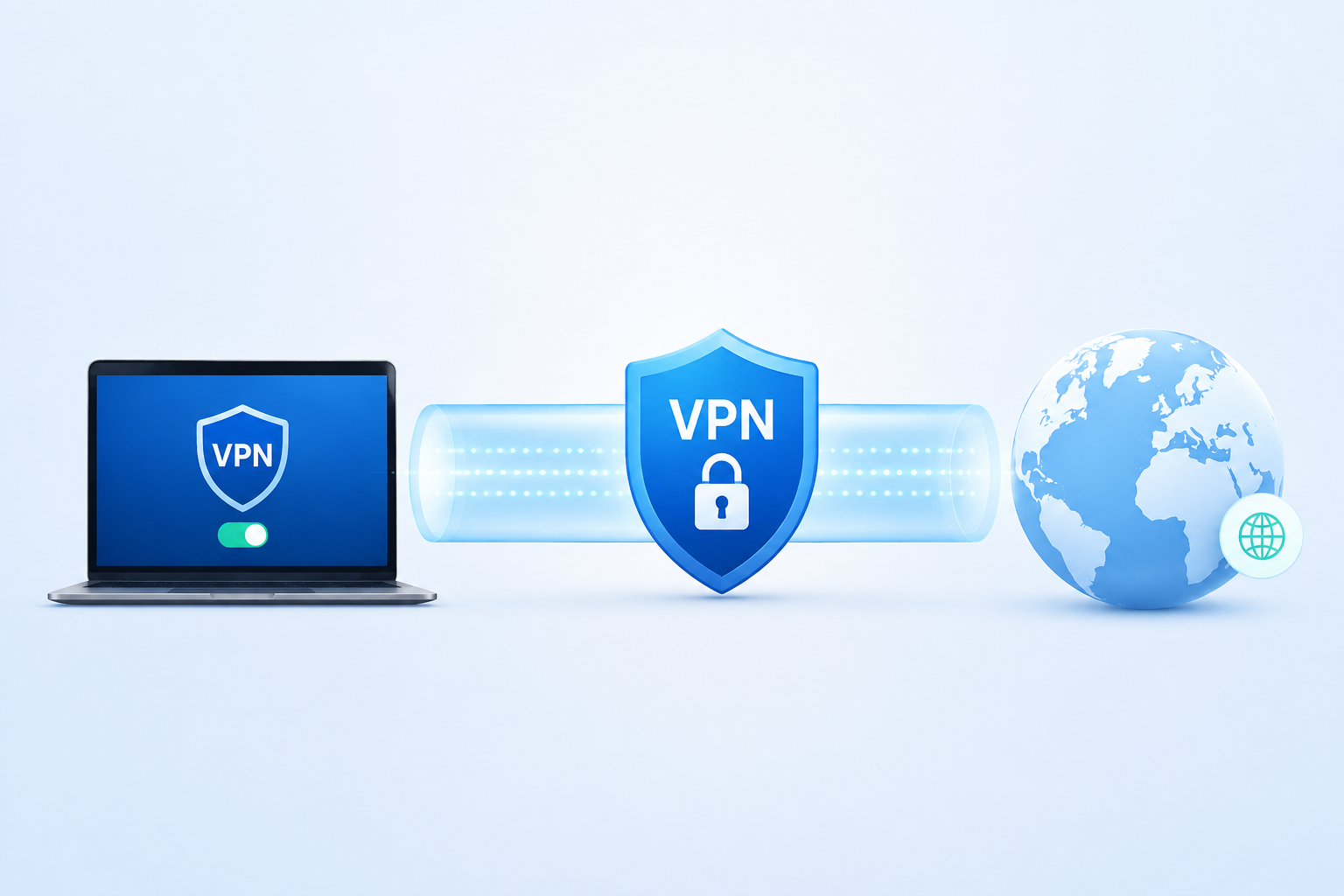
A VPN can sound like complicated technology, but the basic idea is surprisingly simple.
VPN stands for Virtual Private Network. It creates a protected connection between your device and a VPN server, then sends your internet traffic through that connection. During this process, the VPN encrypts traffic travelling between your device and the VPN server and replaces the public IP address seen by websites with the VPN server’s IP address.
But what actually happens after you press Connect?
Where does your data go? What can your internet provider see? How does a VPN change your IP address? And does using one really make you anonymous?
This guide explains how a VPN actually works, step by step, without unnecessary technical language.
What Is a VPN?
A Virtual Private Network is a technology that routes network traffic through a VPN server using an encrypted connection.
Without a VPN, the basic journey looks like this:
Your device → Internet Service Provider → Website
When you connect to a VPN, the journey changes:
Your device → VPN server → Website
The connection between your device and the VPN server is protected using encryption. The VPN server then forwards your request to the website. Because the request reaches the website from the VPN server, the website normally sees the VPN server’s public IP address rather than the public IP address associated with your own connection.
That is the core idea behind a VPN.
How Does a VPN Actually Work?
Let’s follow a simple example.
Imagine you want to visit a website and you have already connected to a VPN server.
Your request has to travel through several stages before the website loads.
1. You Connect to a VPN Server
When you open a VPN app and select Connect, the app starts establishing a secure connection with a VPN server.
The VPN client and server authenticate each other and establish the cryptographic information needed to protect the session. The exact process depends on the VPN protocol being used.
Modern VPN technologies such as WireGuard and OpenVPN use cryptographic methods to establish secure communication between the client and server.
Once this connection is ready, the VPN can begin routing your traffic through it.
2. Your VPN Creates a Tunnel
You will often hear VPN companies talk about an encrypted tunnel.
The tunnel is not a physical cable running from your computer to another country. It is a virtual, protected connection created over the existing internet infrastructure.
Your normal internet connection still carries the packets. The difference is that the VPN software protects the traffic travelling between your device and the VPN server.
A useful way to picture this is to imagine putting your internet traffic inside a locked container before sending it across the internet.
Your ISP can still see that your device is communicating with a VPN server, but the contents inside the protected connection are not exposed in the same way as they would be without the VPN.
3. Your Traffic Is Encrypted
Encryption is one of the most important parts of a VPN.
When data is encrypted, readable information is transformed into ciphertext that cannot be understood without the appropriate cryptographic keys.
For example, suppose your browser sends a request to load a website.
Without the VPN tunnel, that traffic follows the normal network path.
With a VPN, the traffic travelling between your device and the VPN server is encrypted before being sent through the tunnel.
The exact encryption algorithms and key exchange methods depend on the VPN protocol and implementation.
This is why a VPN is useful on networks where you do not fully trust the local connection.
What Happens to Your Data After It Leaves Your Device?
This is where many explanations of VPNs become confusing.
Your VPN does not create a private version of the entire internet.
Instead, it protects one important part of the journey: the connection between your device and the VPN server.
Once your encrypted traffic reaches the VPN server, the server processes the request and sends it onward to the destination website.
So the journey looks something like this:
Your device → Encrypted VPN connection → VPN server → Website
The website then sends its response back to the VPN server, which sends the response through the VPN connection back to your device.
This is why the VPN server acts as an intermediary between you and the website.
How Does a VPN Hide Your IP Address?
Your public IP address is one of the main things that changes when you use a VPN.
Without a VPN, a website normally receives your request through the internet connection associated with your public IP address.
When you use a VPN, your request is forwarded by the VPN server.
As a result, the destination website generally sees the VPN server’s IP address rather than your own public IP address.
For example, imagine your normal public IP address is associated with an internet connection in India.
You connect to a VPN server in Germany.
A website may now see the German VPN server’s IP address instead of the IP address associated with your normal connection.
This is commonly called IP masking.
It can make your internet connection appear to originate from the VPN server’s location, although IP-based location is not the same thing as proving your physical location.
What Can Your ISP See When You Use a VPN?
This is an important question.
A VPN does not make you invisible to your Internet Service Provider.
Your ISP can still see that your device is communicating with a VPN server. It needs to carry the connection after all.
However, when your traffic is routed through an encrypted VPN tunnel, the ISP cannot simply read the contents of that protected traffic in the same way it could inspect unencrypted traffic travelling over the local connection.
This creates a shift in trust.
Instead of sending your internet traffic directly through your ISP, you are sending it through a VPN provider’s infrastructure.
That means the VPN provider becomes an important part of your privacy model.
Can a VPN See Your Internet Activity?
Potentially, yes.
This is one of the most important things to understand before choosing a VPN provider.
The VPN server is positioned between your device and the wider internet. That means the provider operates infrastructure through which your traffic passes.
What the provider collects, stores, or can technically observe depends on how its service is designed and what logging policies and technologies it uses.
Because of this, choosing a VPN should involve more than looking at speed or the number of available countries. The provider’s privacy practices, technical architecture, logging policy, and security reputation also matter.
A VPN changes who you trust with parts of your internet connection. It does not eliminate the need for trust.
Does a VPN Make You Anonymous?
No.
A VPN improves privacy, but VPN privacy and complete anonymity are not the same thing.
Even when your IP address is hidden, websites can still identify or recognize you in other ways.
For example, you might:
- Log into your Google account
- Sign in to social media
- Accept or carry existing cookies
- Use a browser with a distinctive configuration
- Provide your name or email address
- Use services that already know your identity
A VPN does not erase those relationships.
This is why it is more accurate to say that a VPN can hide your public IP address and protect traffic between your device and the VPN server, rather than saying it makes you completely anonymous.
What Is a VPN Protocol?
A VPN protocol is the technology used to establish and manage the secure VPN connection.
Think of it as the set of rules that tells the VPN client and VPN server how to communicate.
Different protocols make different choices about connection setup, cryptography, performance, compatibility, and transport.
Some commonly discussed VPN technologies include:
WireGuard
WireGuard is a modern VPN protocol built around a relatively small and simple codebase and modern cryptographic primitives. It uses public keys to identify peers and creates a secure virtual network interface.
OpenVPN
OpenVPN is a widely used open-source VPN technology. It supports TLS-based authentication and can operate over both TCP and UDP.
IKEv2/IPsec
IKEv2/IPsec is another established VPN technology commonly used for secure network connections and mobile environments.
The protocol offered by a VPN provider can affect connection speed, stability, battery use, compatibility, and other aspects of the user experience.
Why Does a VPN Sometimes Slow Down the Internet?
A VPN can affect internet speed because your traffic takes an additional route.
Without a VPN:
Your device → ISP → Website
With a VPN:
Your device → ISP → VPN server → Website
The traffic must travel to the VPN server before reaching the destination. If that server is far away, overloaded, or connected through a congested route, latency can increase.
Encryption and VPN processing can also add some overhead.
However, the effect is not identical for every VPN or every connection. A nearby, well-connected VPN server can perform very differently from a distant or overloaded one.
Factors that can affect VPN performance include:
- Distance to the VPN server
- Server congestion
- Your normal internet speed
- VPN protocol
- Network routing
- Device performance
- VPN provider infrastructure
So a VPN does not automatically mean slow internet.
Why Does VPN Server Location Matter?
VPN server location affects both the route your traffic takes and the IP address websites see.
Suppose you are in India and connect to a VPN server in Singapore.
Your traffic first travels to that VPN server, then onward to the website.
If you instead connect to a server in the United States, the distance and network path may be much longer.
This can increase latency, which may be especially noticeable during online gaming, video calls, or other activities that depend heavily on response time.
Server location also determines the public IP address that websites see.
That is why VPN applications often let you choose from different countries and cities.
What Is Split Tunneling?
Not every VPN connection needs to route every application through the VPN.
Split tunneling allows selected traffic to use the VPN while other traffic uses the normal internet connection.
For example, you might configure a work application to use the VPN while allowing another application to connect directly.
This can reduce unnecessary VPN traffic and may improve performance in certain situations.
Whether split tunneling is available and how it works depends on the VPN app and device.
What Is a VPN Kill Switch?
A VPN kill switch is a feature designed to reduce the risk of traffic accidentally leaving through your normal internet connection if the VPN disconnects.
Normally, when your VPN is active, traffic is routed through the VPN tunnel.
If that tunnel suddenly fails, a kill switch can block selected network traffic until the VPN connection is restored.
This can be useful for people who do not want applications to continue communicating over the regular connection if the VPN unexpectedly drops.
The exact behavior varies between VPN providers and operating systems.
What Happens When a VPN Connection Drops?
Imagine you are connected to a VPN server and the connection suddenly fails.
Without additional protection, your device may return to its normal network route.
That can expose your regular public IP address to new connections.
A kill switch is intended to prevent that by blocking traffic during the interruption.
When the VPN reconnects successfully, normal traffic can resume through the protected connection.
This is why a VPN is not just about encryption. Correct routing and leak prevention are also important parts of how a VPN works.
Does a VPN Protect You on Public Wi-Fi?
A VPN can provide an additional layer of protection when you use public Wi-Fi because the traffic between your device and the VPN server is protected by the VPN connection.
This can be useful on networks in places such as:
- Airports
- Hotels
- Cafés
- Libraries
- Shopping centres
- Shared offices
However, a VPN does not make an unsafe website safe.
If you enter your password into a phishing website, the VPN cannot tell you that the website is fraudulent.
A VPN protects the network connection. It does not replace security awareness.
VPN vs HTTPS: Are They the Same?
No.
VPNs and HTTPS protect different parts of your connection.
HTTPS protects communication between your browser and a website.
A VPN protects the connection between your device and the VPN server.
You can use both at the same time.
For example:
Your device → VPN tunnel → Website using HTTPS
In this situation, the VPN protects the first part of the journey, while HTTPS protects the browser-to-website connection.
That is why using a VPN does not mean you should ignore the HTTPS padlock in your browser.
They solve different problems.
Can a VPN Stop Websites From Tracking You?
Not completely.
A VPN can hide your public IP address, which removes one method websites can use to associate activity with a network connection.
But websites have many other tracking methods.
They can use account logins, cookies, browser storage, advertising identifiers, and other technologies.
For example, if you connect to a VPN and then log into the same account you used before, the website can still know that the account belongs to you.
A VPN should therefore be treated as one privacy layer rather than a complete anti-tracking solution.
Can a VPN Stop Malware and Phishing?
A VPN is not designed to replace antivirus software or security awareness.
It generally cannot prevent you from downloading malicious software, opening a dangerous attachment, or entering credentials into a fake login page.
Your device still needs:
- Security updates
- Strong passwords
- Multi-factor authentication
- Reliable security software
- Safe browsing habits
A VPN and these security measures can work together, but they perform different jobs.
Why Do Companies Use VPNs?
VPN technology is not limited to consumer privacy services.
Businesses have used VPNs for years to provide secure remote access to internal systems and connect separate networks over the internet.
For example, an employee working from home may use a VPN to access a private company network.
In this case, the goal is not necessarily to hide the employee’s IP address from websites. The goal is to establish a protected connection to company resources.
This is an important distinction because “VPN” describes a technology, not just a consumer privacy product.
What Happens When You Turn Off a VPN?
When you disconnect from the VPN, your device generally stops using the VPN tunnel for the traffic it had been routing through it.
Your normal internet route is restored.
Your public IP address will typically return to the address associated with your regular internet connection.
Any websites you access after disconnecting can therefore see your normal public IP address rather than the VPN server’s address.
A Simple Example of How a VPN Works
Let’s make the entire process as simple as possible.
Imagine you open your browser and type:
example.com
Without a VPN:
1. Your device sends the request.
2. Your ISP carries the request toward the website.
3. The website receives the request from your normal internet connection.
4. The website sends the response back.
With a VPN:
1. Your device sends the request to the VPN software.
2. The VPN encrypts the traffic and sends it through the VPN connection.
3. Your ISP carries the encrypted connection to the VPN server.
4. The VPN server forwards the request to the website.
5. The website sees the VPN server’s IP address.
6. The website sends the response to the VPN server.
7. The response travels back through the VPN connection to your device.
That is essentially how a VPN works.
What a VPN Can and Cannot Do
The easiest way to understand VPNs is to separate their benefits from their limitations.
A VPN can:
- Encrypt traffic between your device and the VPN server
- Hide your public IP address from websites
- Route traffic through a remote server
- Help protect traffic on untrusted networks
- Provide secure access to private networks
- Change the apparent IP-based location of your connection
A VPN cannot:
- Make you completely anonymous
- Stop every form of online tracking
- Protect you from phishing
- Remove malware from your device
- Make every website safe
- Guarantee faster internet
- Prevent websites from identifying you when you sign into your accounts
These limitations are important because VPN advertising can sometimes make the technology sound more powerful than it actually is.
How to Choose a VPN
If you are considering a VPN, do not choose one based only on the number of servers or countries advertised.
Look at the provider’s:
- Privacy policy
- Logging practices
- Supported VPN protocols
- Security features
- Kill switch
- DNS leak protection
- Server infrastructure
- Device support
- Independent security audits, where available
- Reputation and track record
A VPN provider is handling an important part of your network connection, so its policies and technical design matter.
Final Thoughts
So, how does a VPN actually work?
The simplest answer is this:
A VPN establishes a protected connection between your device and a VPN server. Your traffic is routed through that connection, and the traffic travelling between your device and the VPN server is encrypted. The VPN server then communicates with websites and other internet services on your behalf.
Because the website receives the request from the VPN server, it generally sees the VPN server’s public IP address instead of your original public IP address.
The important thing to remember is that a VPN is not an invisibility cloak.
It can improve privacy, protect traffic on certain networks, and mask your public IP address. But it does not make you completely anonymous, eliminate every form of tracking, or protect you from every online threat.
Once you understand what happens to a single request as it travels from your device to the VPN server and then to a website, the entire concept of a VPN becomes much easier to understand.
Frequently Asked Questions
Q1. What does a VPN actually do?
Answer:
A VPN creates an encrypted connection between your device and a VPN server. Your internet traffic is routed through that connection, and websites generally see the VPN server’s IP address instead of the public IP address associated with your normal internet connection.
Q2. Can a VPN hide my IP address?
Answer:
Yes. A VPN routes your traffic through its server, so websites generally see the VPN server’s public IP address rather than your own. This is commonly called IP masking.
Q3. Does a VPN make me completely anonymous?
Answer:
No. A VPN can improve privacy and hide your public IP address, but websites can still recognize you through account logins, cookies, browser information, and other tracking methods.
Q4. Can a VPN slow down my internet?
Answer:
Yes, it can. Your traffic may need to travel through an additional server, and factors such as server distance, congestion, routing, and the VPN protocol can affect speed and latency. However, the impact varies between services and connections.