

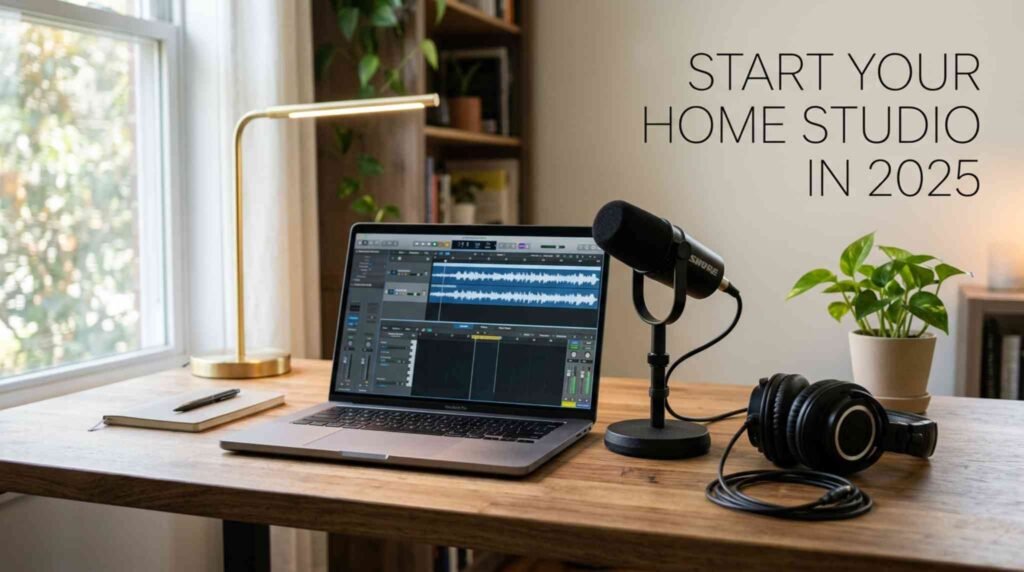
Building a home studio setup used to feel out of reach for most people. Not anymore. Today, you can create professional-quality recordings from your bedroom, spare room, or even a closet – without spending a fortune. Whether you want to record music, produce beats, launch a podcast, or score short films, this guide walks you through every step of the process clearly and practically.
Let’s build your dream studio from scratch.
Why a Home Studio Setup Makes Sense Right Now
The music and content industries have fundamentally shifted. The home studio has become a cornerstone of the modern music industry. From hobbyists to professional recording artists, having a space to create music on your own terms is more accessible than ever.
Moreover, the cost barrier has dropped dramatically. For a basic home studio setup, you can expect to invest anywhere from $500 to $2,000 for a quality beginner setup, with professional-grade configurations reaching $5,000 or more.That means you can start with what you have and grow over time.
Step 1: Define Your Goals Before Buying Anything
Before you spend a single dollar, ask yourself what you actually need the studio for.
Determining what you want to create in your studio and how much money you’re willing to spend are the two biggest factors in all the decisions that follow – from buying gear to software to room treatment.
Here are the three most common home studio types:
- Music Production Studio – Focuses on instruments, MIDI controllers, and mixing
- Vocal/Podcast Recording Booth – Prioritizes microphone quality and acoustic control
- Video/Content Creation Studio – Needs cameras, lighting, and a clean background
Each setup differs in its equipment priorities. Therefore, knowing your goal upfront saves you money and prevents buyer’s remorse.
Step 2: Choose the Right Room
Your room matters more than most people realize. In fact, a poorly chosen space can ruin even the most expensive gear.
What to Look For in a Room
- Small to medium size – Large rooms create uncontrolled echo problems
- Soft surfaces – Carpet, thick curtains, and bookshelves naturally absorb sound
- Low external noise – Basements and interior rooms work best
Go small-to-medium: Large rooms create echo problems. Soft surfaces win carpet, curtains, and bookshelves help kill reflections.
Avoid rooms with parallel walls where possible. They cause standing waves, which distort your low-end frequencies when mixing.
Step 3: The Essential Home Studio Equipment List
Now for the gear. You don’t need everything at once. However, certain pieces form the non-negotiable foundation of any home recording studio.
Audio Interface – The Heart of Your Setup
Your audio interface connects your microphone and instruments to your computer. It converts analog sound into digital audio your DAW can process.
Your interface is the nerve center of your studio. Look for stable drivers and low latency, 48V phantom power, and high-quality mic preamps.
Best beginner picks:
- Focusrite Scarlett 2i2 – affordable, reliable, widely recommended
- Universal Audio Volt 2 – warmer sound, slightly higher price point
Microphone – Your Most Important Instrument
You don’t need dozens of microphones to produce professional results. Start with a dynamic microphone for vocals and instruments in untreated rooms – dynamic mics are forgiving of room noise and deliver solid results. A large-diaphragm condenser is ideal for detailed vocals and acoustic instruments in a treated space. Sonarworks
For beginners in untreated rooms, start with a dynamic mic. It picks up less room noise and handles imperfect acoustics well.
Studio Monitors vs. Headphones
You need accurate sound playback for mixing. Studio monitors give you the most natural listening experience. However, if your room isn’t treated yet, studio headphones are the smarter starting choice.
Look for closed-back headphones for recording (to prevent bleed) and open-back headphones for mixing (for a wider soundstage).
DAW Software – Your Digital Workspace
Your Digital Audio Workstation (DAW) is where you record, edit, and mix everything.
Is GarageBand good enough for beginners? Absolutely. It’s feature-rich, easy to use, and scales with your skills. Audeobox
Popular DAW options for 2025:
- GarageBand – Free for Mac users, excellent for beginners
- Audacity – Free, cross-platform, great for podcasting
- Ableton Live – Industry standard for music production
- Logic Pro – Professional-grade for Mac users
Step 4: Acoustic Treatment – The Most Overlooked Step
Most beginners spend their entire budget on gear and ignore room acoustics. That’s a mistake.
A treated room matters more than expensive gear – it directly impacts how you record and mix. Audeobox
Budget-Friendly Acoustic Treatment Ideas
You don’t need to buy expensive panels right away. First, try these practical solutions:
- Hang thick curtains or moving blankets on bare walls
- Lay rugs on hard floors to reduce flutter echo
- Place a bookshelf filled with books on the primary reflection points
- Use a reflection filter behind your mic for vocal recordings
Practical setups for a home recording studio include layering rugs, using door sweeps, and placing gear on isolation pads. 100 Sutton Studios
As your budget grows, add foam acoustic panels or bass traps in the room corners. These target low-frequency buildup, which is the hardest acoustic problem to solve.
Step 5: Build Your Budget Wisely
For a relatively simple home studio, allocate about 70% of your initial budget on hardware, 20% on software, and 10% on room treatment. iZotope
This split works well at every budget level. It forces you to prioritize your core signal chain — the path your sound takes from microphone to speaker – above everything else.
For example, a $500 starter setup might look like this:
| Item | Estimated Cost |
|---|---|
| Audio Interface | $120 |
| Dynamic Microphone | $100 |
| Studio Headphones | $80 |
| DAW (GarageBand/Free) | $0 |
| Acoustic Treatment (DIY) | $50 |
| Mic Stand + Cables | $50 |
| Total | ~$400–$500 |
This setup is genuinely enough to produce release-ready recordings. Therefore, don’t let budget be the reason you delay starting.
Step 6: Workflow and Organization Tips
Great gear alone won’t make you productive. Your workflow matters just as much as your equipment.
Organize Your Studio Space
- Keep cables managed and labeled to avoid confusion
- Position your monitor speakers at ear level, forming an equilateral triangle with your head
- Place your audio interface within easy reach – you’ll adjust gain constantly
- Back up your sessions to an external drive and cloud storage
Additionally, set a regular creative schedule. Even 30 focused minutes a day builds skills faster than one long inconsistent session per week.
Step 7: Grow Your Setup Over Time
The key to success lies in understanding your specific needs, starting with quality essentials, and growing your setup thoughtfully over time. Focus on learning your equipment thoroughly rather than accumulating gear for its own sake. Develop Device
After mastering your starter setup, consider adding these upgrades in order:
- Acoustic panels for better room response
- Studio monitors for more accurate mixing
- Condenser microphone for cleaner vocal recordings
- MIDI controller for more expressive music production
- Outboard gear or plugins for advanced sound shaping
For gear reviews, tutorials, and recommendations that match your specific budget and goals, check out LegitLoaded – a go-to resource for home studio builders at every stage.
FAQS
What do I absolutely need for a basic home studio setup?
You need five core items: a computer, an audio interface, a microphone, headphones or monitors, and DAW software. These form your complete signal chain. Everything else – acoustic panels, MIDI controllers, outboard gear – comes later as you grow your skills and budget.
How much does it cost to build a home studio?
A functional beginner home studio setup costs between $400 and $800. This covers an audio interface, dynamic microphone, studio headphones, and free or low-cost DAW software. Professional setups can cost $3,000 to $10,000 or more, but you absolutely don’t need that to start recording today.
Do I need to soundproof my room for a home studio?
Full soundproofing requires construction work and isn’t practical for most renters. Instead, focus on acoustic treatment – foam panels, rugs, curtains, and bass traps. These improve how sound behaves inside your room without requiring you to block sound from entering or leaving.
What is the best DAW for beginners?
For Mac users, GarageBand is the best free starting point – it’s powerful and intuitive. Windows users often start with Audacity for podcasting or the free version of Reaper for music production. As your skills develop, consider upgrading to Logic Pro, Ableton Live, or FL Studio.
What microphone should I buy for my home studio?
Start with a dynamic microphone like the Shure SM58 or SM7B. Dynamic mics handle room noise better than condensers, making them ideal for untreated spaces. Once you add acoustic treatment, a large-diaphragm condenser microphone delivers more detail and warmth for vocals.
Can I build a home studio in a small room or apartment?
Yes. Small rooms are often easier to treat acoustically than large ones. Use soft furnishings, hang curtains, and add a reflection filter behind your microphone. Many professional artists have recorded hit songs in tiny bedroom setups. The room’s treatment matters far more than its size.
What’s the difference between studio monitors and regular speakers?
Regular speakers color the sound to make music feel more exciting. Studio monitors are designed to be flat and accurate so you hear exactly what’s in your recording. This accuracy is critical when mixing – if your mix sounds good on flat monitors, it will translate well across all playback systems.