

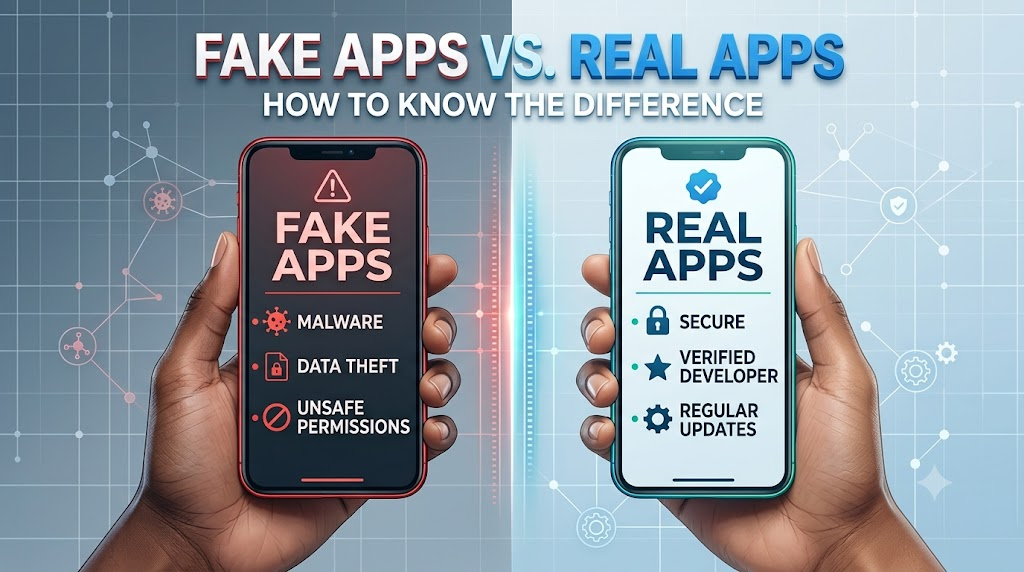
In today’s digital world, mobile apps have become an essential part of everyday life. From banking and shopping to social media and entertainment, people rely on apps for almost everything. Unfortunately, cybercriminals have also recognized this trend and have started creating fake apps that look very similar to legitimate ones.
Many users download fake applications without realizing the risks involved. These apps can steal personal information, track your activity, infect your device with malware, or even gain access to your financial accounts. Knowing how to identify fake apps can help you protect your data, privacy, and money.
In this guide, you’ll learn the key differences between fake and real apps, common warning signs, and practical tips to stay safe when downloading applications.
What Are Fake Apps?
Fake apps are fraudulent applications designed to imitate legitimate apps. They are often created to trick users into downloading them by copying the appearance, logo, name, or functionality of popular applications.
The goal of a fake app can vary. Some are designed to steal sensitive information, while others generate advertising revenue through excessive ads. More dangerous versions may install malware or ransomware on your device.
Fake apps can sometimes appear in official app stores, although they are more commonly found on third party websites and unofficial marketplaces.
What Are Real Apps?
Real apps are legitimate applications developed and maintained by authorized companies, organizations, or developers. These apps follow security guidelines, receive regular updates, and provide the services they advertise.
Legitimate apps typically have:
- Verified developers
- Consistent updates
- Positive user reviews
- Clear privacy policies
- Secure login systems
- Reliable customer support
Downloading apps from trusted sources significantly reduces your risk of encountering fake applications.
Why Fake Apps Are Dangerous
Many people assume that downloading a fake app is only a minor inconvenience. In reality, the consequences can be serious.
Fake apps can:
- Steal usernames and passwords
- Access personal photos and videos
- Collect banking information
- Track your location
- Display intrusive advertisements
- Install malware on your device
- Spy on your online activities
- Consume device resources and battery life
In severe cases, cybercriminals may use stolen information for identity theft or financial fraud.
How Fake Apps Trick Users
Cybercriminals use several tactics to make fake apps appear trustworthy.
Copying Popular Brands
One of the most common methods is mimicking well known brands. A fake app may use a logo, icon, or color scheme that closely resembles a legitimate company.
For example, a fake banking app might use a nearly identical logo to the real bank, making it difficult for users to spot the difference.
Using Similar Names
Fake apps often use names that are almost identical to genuine applications.
Examples include:
- WhatsApp Pro
- Telegram Premium Free
- Netflix Plus
- Instagram Gold
These variations can easily mislead users who are searching quickly.
Offering Unrealistic Features
Many fake apps attract downloads by promising features that sound too good to be true.
Examples include:
- Free premium subscriptions
- Unlimited in game currency
- Free access to paid content
- Secret hacking tools
- Exclusive social media features
If an app promises something unrealistic, it deserves extra scrutiny.
Warning Signs of a Fake App
Recognizing the warning signs can help you avoid downloading harmful applications.
Check the Developer Name
One of the easiest ways to identify a fake app is by examining the developer information.
Legitimate apps are usually published by official companies or verified developers. If the developer name looks suspicious, misspelled, or unfamiliar, proceed with caution.
For example, if you’re downloading a banking app, the developer should match the official bank’s name.
Look for Poor Reviews
Before downloading any app, read user reviews carefully.
Warning signs include:
- Numerous complaints about scams
- Reports of stolen accounts
- Frequent mentions of malware
- Repetitive or generic positive reviews
Fake reviews are common, so focus on detailed feedback from genuine users.
Examine the Number of Downloads
Popular apps usually have millions of downloads.
If an app claims to be a well known service but has only a few hundred downloads, it may not be legitimate.
While new apps naturally have fewer downloads, established brands typically have significant user numbers.
Review App Permissions
Many fake apps request unnecessary permissions.
For example:
- A calculator app requesting access to contacts
- A flashlight app asking for camera permissions
- A wallpaper app requesting access to messages
Always question permissions that seem unrelated to the app’s purpose.
Check for Spelling and Grammar Mistakes
Legitimate developers usually maintain professional app descriptions.
Fake apps often contain:
- Spelling mistakes
- Poor grammar
- Awkward sentences
- Inconsistent formatting
These errors can be strong indicators of a fraudulent application.
Analyze the App Icon and Screenshots
Fake apps often use low quality images, outdated screenshots, or copied visuals.
Look closely at:
- Logo quality
- Branding consistency
- Screenshot authenticity
- Design professionalism
Anything that appears unusual or poorly designed should raise concerns.
How to Verify an App Before Downloading
Taking a few extra minutes before downloading can save you from serious problems later.
Visit the Official Website
Most legitimate companies provide direct links to their official apps.
Instead of searching randomly, visit the company’s website and follow their download links.
This reduces the risk of downloading an imitation app.
Search for Online Reviews
Technology websites and cybersecurity blogs often review popular applications.
A quick search can reveal whether an app has a history of security issues or suspicious behavior.
Check Update History
Legitimate apps receive regular updates to improve performance and security.
An app that hasn’t been updated for years may not be trustworthy or actively maintained.
Read the Privacy Policy
While many users skip this step, a privacy policy can reveal how an app handles your data.
Be cautious if:
- No privacy policy exists
- Data collection practices seem excessive
- Information sharing details are unclear
Best Practices to Stay Safe
Following a few simple habits can greatly improve your mobile security.
Download Only from Trusted Sources
Stick to official app stores whenever possible.
Avoid downloading apps from:
- Unknown websites
- Suspicious links
- Random advertisements
- Unverified app marketplaces
Keep Your Device Updated
Operating system updates often contain important security patches that protect against new threats.
Enable automatic updates whenever possible.
Use Mobile Security Software
Reliable security applications can help detect malware and suspicious behavior before it causes damage.
Many modern security tools can scan apps before installation.
Enable Two Factor Authentication
Even if an account password is compromised, two factor authentication adds an extra layer of protection.
This security feature can significantly reduce the risk of account theft.
Regularly Review Installed Apps
Periodically check your installed applications and remove anything unfamiliar or unused.
This helps minimize potential security risks.
What to Do If You Downloaded a Fake App
If you suspect you’ve installed a fake application, take action immediately.
- Disconnect from the internet if necessary.
- Uninstall the suspicious app.
- Run a security scan on your device.
- Change passwords for important accounts.
- Enable two factor authentication.
- Monitor financial accounts for unusual activity.
- Report the app to the app store.
The faster you respond, the lower the risk of serious consequences.
The Growing Threat of Fake Apps
As mobile technology continues to evolve, fake apps are becoming more sophisticated. Some fraudulent applications now closely resemble legitimate software, making them harder to identify.
Cybercriminals continuously adapt their tactics, which is why user awareness remains one of the strongest defenses against mobile threats.
By learning how to recognize warning signs, verify developers, and download apps responsibly, users can significantly reduce their chances of becoming victims.
Conclusion
Fake apps have become a serious cybersecurity threat for smartphone users worldwide. While they may look convincing at first glance, careful examination often reveals warning signs such as suspicious developers, poor reviews, unusual permissions, and low download counts.
The best way to stay safe is to download apps only from trusted sources, verify developer information, review permissions carefully, and stay informed about emerging threats. A few extra moments of caution before downloading an app can help protect your personal information, finances, and digital privacy.
Frequently Asked Questions
Q1. How can I tell if an app is fake?
Answer:
Check the developer name, app reviews, download count, permissions requested, and overall quality of the app description. Suspicious permissions, poor reviews, and spelling mistakes are common warning signs.
Q2. Are apps from official app stores always safe?
Answer:
While official app stores are generally safer, fake apps can occasionally bypass security checks. It is still important to review developer information, ratings, and permissions before downloading.
Q3. What happens if I install a fake app?
Answer:
A fake app may steal personal information, collect passwords, display excessive advertisements, install malware, or compromise your device’s security. The impact depends on the app’s purpose and permissions.
Q4. What should I do if I accidentally downloaded a fake app?
Answer:
Immediately uninstall the app, run a security scan, change important account passwords, enable two factor authentication, and monitor your accounts for any unusual activity.