

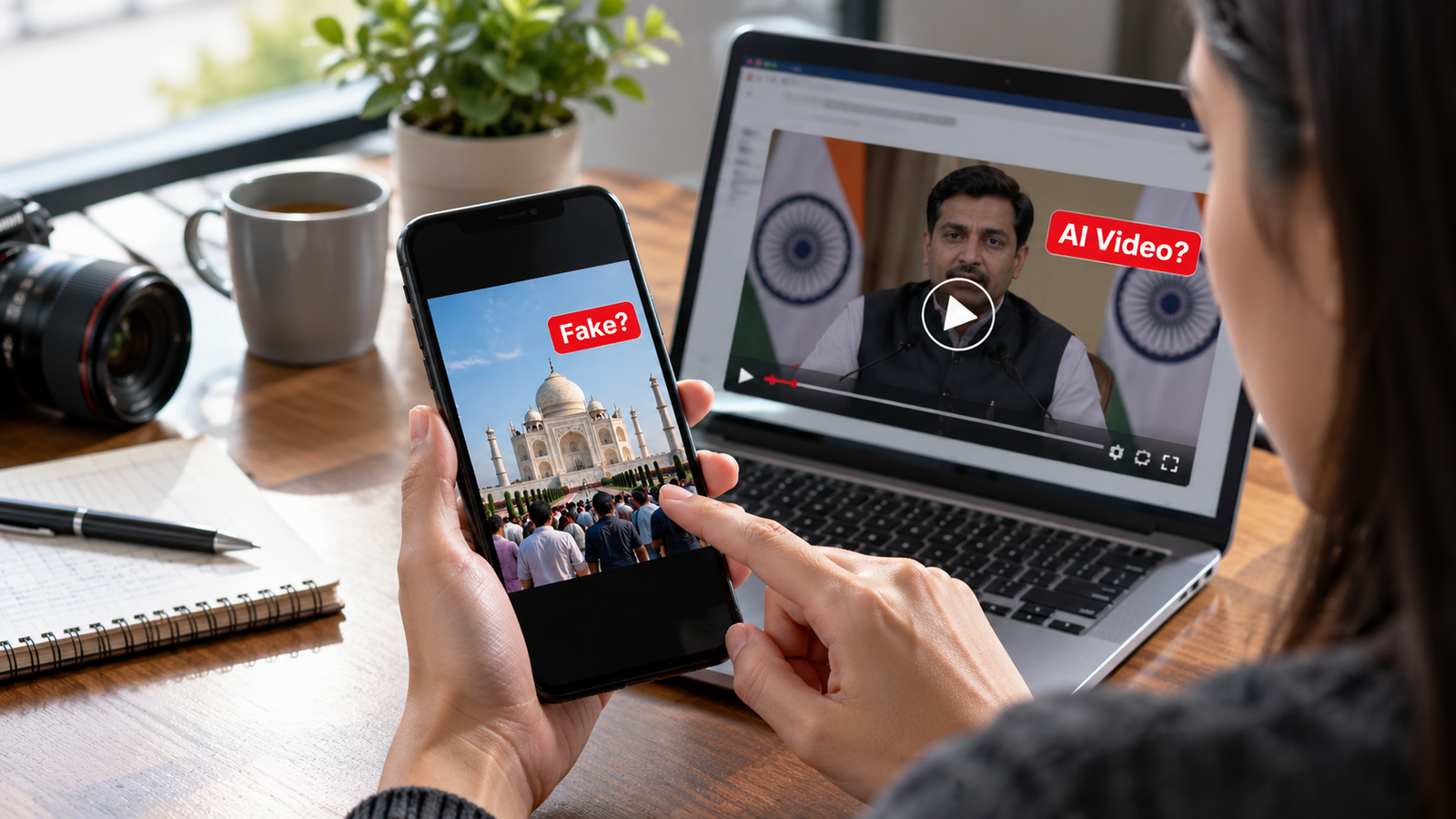
Imagine scrolling through Instagram and seeing a photo of a famous actor standing in front of the Taj Mahal with a tiger beside them. The picture looks real, and thousands of people have already shared it. But there is one problem: the photo was never taken in real life. It was created using artificial intelligence (AI).
This is becoming more common as AI technology improves. Today, people can create realistic photos, videos, and even fake voices using simple online tools. Some use these tools for fun, education, or creative work. However, others use them to spread false information, trick people, or damage someone’s reputation.
The good news is that you do not need to be a technology expert to spot many of these tricks. By paying attention to small details, checking the source, and using a few simple online tools, you can become better at identifying AI-generated photos, videos, and fake news.
In this blog, we will explain how AI-generated content works, what warning signs to look for, and how you can check whether something you see online is real or fake.
What Is AI-Generated Content?
AI-generated content is anything created or changed with the help of artificial intelligence. AI tools learn patterns from large amounts of data and use those patterns to create new images, videos, voices, and text.
For example, someone can type a simple instruction such as “Create a photo of a red car driving through the streets of Mumbai at night.” An AI tool may create a realistic-looking image in seconds, even if the scene never happened.
AI-generated content can include:
- AI-generated photos: Pictures of people, animals, buildings, or events that may not exist in real life.
- AI-generated videos: Video clips showing made-up scenes or people doing things they never actually did.
- Deepfake videos: Videos that use AI to make a person’s face or expressions look different, or make them appear to say something they never said.
- AI-generated voices: Computer-created speech that can sound like a real person.
- Fake news and misleading posts: False or edited information shared as if it were true. These posts may be created by AI or by people without using AI at all.
It is important to understand that not all AI-generated content is harmful, and not every unusual-looking photo is fake. The real problem begins when someone presents made-up content as a real event or uses it to mislead others.
Why Is It Becoming Harder to Identify AI-Generated Photos and Videos?
A few years ago, AI-generated images often had obvious mistakes. Faces looked strange, fingers were misshapen, and backgrounds appeared unnatural. Today, many AI tools can create highly realistic pictures that are difficult to distinguish from genuine photographs.
Videos have also improved. AI can now create realistic facial expressions, natural-looking movements, and convincing speech. Some tools can even copy a person’s voice using audio samples.
Social media makes the problem more serious because images and videos can spread quickly. A person may see a shocking clip, believe it immediately, and forward it to friends or family without checking whether it is true.
In India, misleading content can spread through WhatsApp groups, Instagram Reels, YouTube videos, Facebook posts, and other online platforms. A fake video may look like a news report, a celebrity interview, or an announcement from a government official.
That is why learning to check online content is an important digital skill for students, parents, working professionals, and anyone who uses the internet.
How to Identify AI-Generated Photos
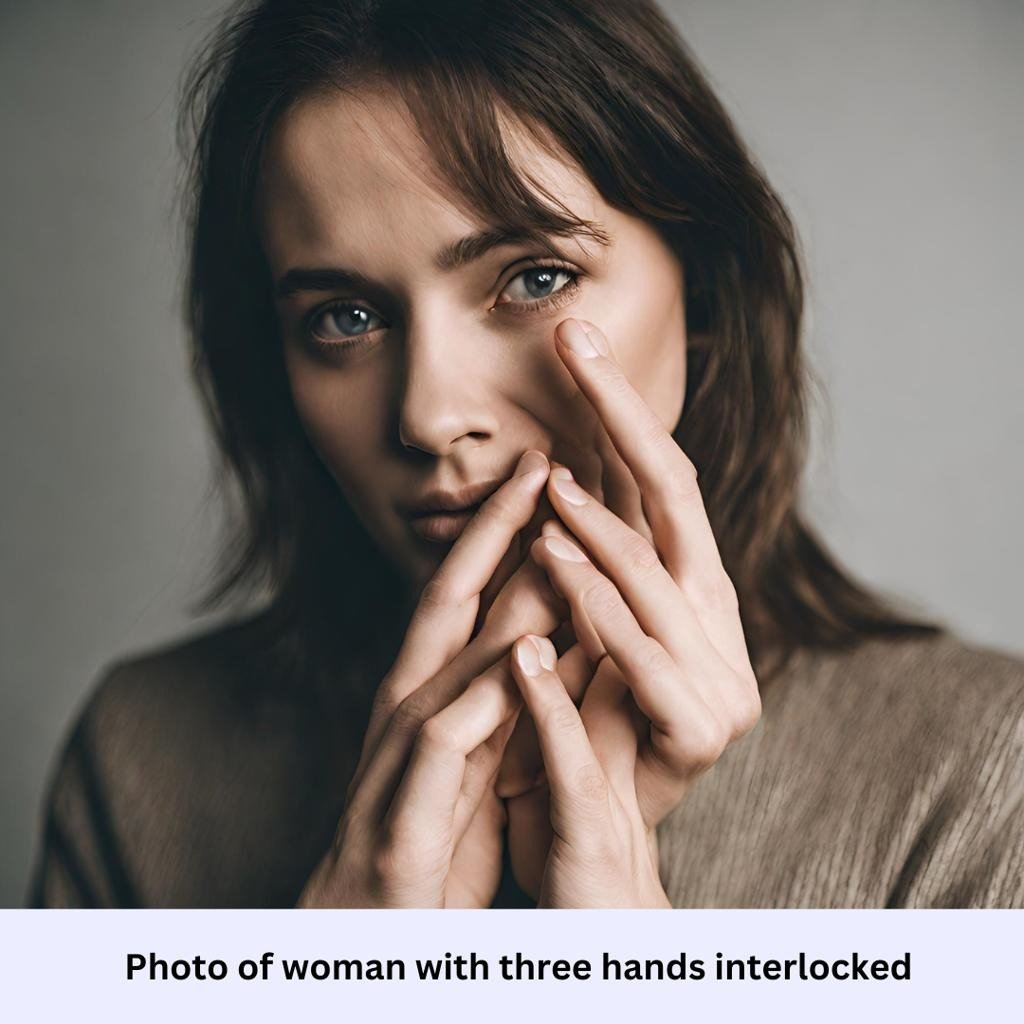
AI-generated photos can look very real, but some details may reveal that something is wrong. The key is to look at the entire image instead of focusing only on the person’s face.
1. Look Closely at Hands, Fingers, and Faces
AI tools sometimes struggle with small details, especially when several objects overlap. A person in an AI-generated image might have an extra finger, an oddly shaped hand, or an ear that looks different from the other ear.
Facial features may also look unusual. For example, the eyes might not point in the same direction, teeth may appear uneven in an unnatural way, or earrings and glasses may blend into the skin.
However, modern AI tools can create convincing hands and faces, too. Finding no mistakes does not automatically mean the image is genuine.
2. Check the Background Carefully
Sometimes, the main subject looks realistic, but the background contains strange details.
Look for things such as:
- Signs or shop names with unreadable or misspelled words.
- Buildings with unusual shapes or windows that do not line up.
- Objects that seem to merge into walls, furniture, or other people.
- People in the background with distorted faces or bodies.
- Reflections in mirrors or glass that do not match the scene.
For example, a picture of a busy Indian railway station might show clear details in the foreground but strange letters on the station sign. This could be a warning sign that the image was generated or edited using AI.
3. Look at Lighting and Shadows
In a real photograph, light usually behaves in a consistent way. If sunlight comes from the left, the shadows should generally fall in a direction that matches the light source.
In a generated image, lighting can sometimes appear inconsistent. One person’s face might be brightly lit while nearby objects have shadows pointing in a completely different direction.
Also check whether a person appears to belong in the scene. If the lighting on their face is very different from the lighting on everything around them, the image may have been edited or generated.
Keep in mind that real photographs can also contain unusual lighting, especially when taken at night or with flash.
4. Check Clothing, Jewellery, and Small Objects
AI sometimes produces details that look correct at first but become strange when you zoom in.
A shirt might have buttons in the wrong places. A necklace may disappear into the skin. A watch might have an unusual shape, or the writing on a T-shirt may be unreadable.
These small errors can help you question an image, especially when several appear together. One strange detail alone is not enough to prove that a picture is fake.
5. Use Reverse Image Search
One of the most useful ways to investigate a suspicious image is to find out whether it has appeared online before.
You can use Google Lens to search for visually similar pictures and related webpages. This may help you find the original photograph, identify where it was first published, or discover that an old image is being shared with a new and misleading description.
Here is how to do it:
- Open Google or the Google app.
- Tap the Google Lens icon.
- Upload the image or select it from your gallery.
- Review visually similar images and webpages.
- Check whether the results point to a trustworthy source.
You can also try Google Lens.
Reverse image search does not always identify AI-generated images, especially if they are new or have been heavily edited. However, it is a useful first step when checking a suspicious picture.
6. Check the Image’s Original Source
Before believing a photo, ask yourself where it came from. Is it posted by a trusted news organisation, a verified official account, or an unknown social media page?
If a picture claims to show a recent accident, celebrity announcement, or major public event, search for the same event on reliable news websites. If no trustworthy source mentions it, be careful before accepting the claim.
You can also use Google’s About this image feature, where available, to find more context about an image, see how other websites use it, and check for certain AI watermarks. The feature can help with verification, but it cannot prove that every image without a detected watermark is real.
How to Identify AI-Generated Videos
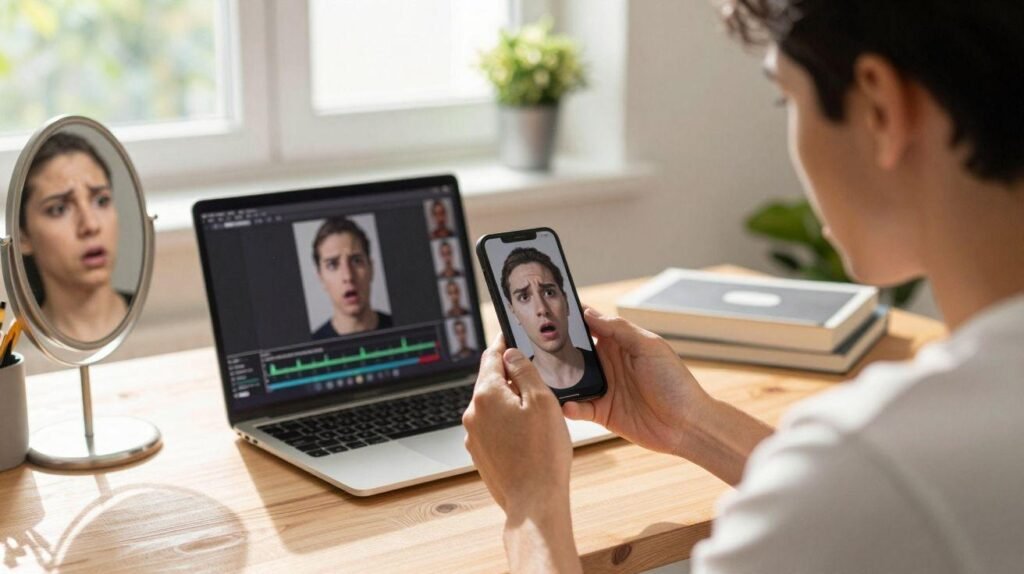
AI-generated videos can be more difficult to identify than photos because you are watching movement, facial expressions, and speech at the same time. Still, there are a few things you can check.
1. Watch the Person’s Mouth and Speech
In a deepfake video, a person’s mouth may not match the words they are saying. Their lips might move too early or too late, or the shape of their mouth may look unusual while speaking.
You may also notice that the person’s face looks smooth or unnatural during certain movements. However, these signs are not always present, and genuine videos can also have poor lip-syncing because of editing or internet delays.
2. Look for Strange Facial Movements
Pay attention to the person’s eyes, cheeks, teeth, and expressions. In some fake videos, the face may appear to change shape when the person turns their head. Their skin might flicker, or parts of their face may look blurry for a moment.
Watch the video more than once if necessary. Small changes that are difficult to notice at normal speed may become easier to spot when you pause the clip or replay it.
Remember that newer AI tools can avoid many of these mistakes, so do not depend on facial appearance alone.
3. Listen Carefully to the Voice
AI-generated voices can sound very similar to real human speech. However, some fake recordings contain unusual pauses, strange pronunciation, or a flat tone that does not match the situation.
Listen for sudden changes in sound quality, background noise that appears and disappears, or speech that sounds disconnected from the person’s emotions.
This is especially important when a video contains a famous person, a government official, or someone asking viewers to invest money. A familiar voice does not prove that the person actually made the statement.
4. Check the Full Video, Not Just One Clip
A short video can leave out important information. Someone may cut a genuine recording into a small section that changes its meaning. Others may add AI-generated speech or combine real footage with fake scenes.
For example, a video may show a politician making a statement, but the caption might claim that the statement was made today when the recording is several years old.
To investigate it:
- Search for the original speech or interview.
- Check the date and location of the event.
- Look for the full recording from a reliable source.
- Compare the claim with reports from established news organisations.
Even if the video itself is real, the description attached to it may be misleading.
5. Check for AI Labels and Content Credentials
Some AI tools and online platforms provide information about whether a video was generated or edited using AI. Certain systems also add digital watermarks or content credentials that can provide information about a file’s origin and editing history.
For example, Google’s Gemini verification feature can check for its SynthID watermark in supported images, videos, and audio. Content Credentials may also provide information about how supported content was created or edited. These checks have limitations and do not identify every possible AI-generated video.
How to Identify Fake News Online
Fake news is not always created using AI. Sometimes, a person shares a false claim deliberately. In other cases, someone misunderstands a story or shares old information without checking it.
The most important thing to remember is that a news post can look professional and still be false.
1. Read Beyond the Headline
Some posts use shocking headlines to make people click or share them. A headline might claim that a new law has been introduced, a famous person has died, or a bank is closing all its accounts.
When you see a headline like this, do not immediately believe it. Open the article and read the full story. Check whether the article actually supports what the headline claims.
If a post says “Breaking News” but does not provide a date, location, or trustworthy source, treat it carefully.
2. Check Who Published the Information
Before trusting a news story, look at the website or social media account that published it.
Ask yourself:
- Is the website known for publishing reliable information?
- Does the article mention its sources?
- Is the author named?
- Does the website have a clear About Us page and contact details?
- Are other trustworthy sources reporting the same event?
A professional-looking website is not proof of reliability. Fake websites can copy the colours, logos, and layout of genuine news organisations.
3. Check the Date and Location
Old photos and videos are often shared again as if they show a new event. This can create confusion, especially during elections, natural disasters, public emergencies, or major national events.
For example, a photograph of flooding in one Indian state might be shared with a caption claiming that the same event is happening in another state today.
Check when and where the original content was published. Search for the location, date, and important details to see whether the caption matches the evidence.
4. Look for Evidence From More Than One Source
If a story makes an important claim, look for confirmation from other reliable sources. This is especially useful for information about government announcements, public safety, financial matters, and health.
Suppose a viral post claims that the government has announced a new payment scheme. Before sharing it, check the relevant official government website and trusted news reports.
For Indian government-related claims, you can also visit the Press Information Bureau (PIB) and its Fact Check Unit’s official channels. Government fact checks can help you investigate misleading claims about official announcements.
5. Be Careful With Emotional Posts
Fake news often tries to make people feel angry, frightened, or extremely excited. This encourages them to react quickly instead of checking the facts.
Be extra careful when a message says things like:
- “Share this with everyone immediately!”
- “The media is hiding this from you!”
- “Forward this before it gets deleted!”
- “You will lose your money if you do not act now!”
These phrases do not automatically mean a message is false, but they are reasons to stop and investigate before forwarding it.
Best Free Tools to Check AI-Generated Images, Videos, and Fake News
You do not need to pay for expensive software to begin checking suspicious content. Several useful tools and websites can help you investigate what you see online.

1. Google Lens
Best for: Finding similar images and their online sources.
Upload a photo or screenshot to discover visually similar images and webpages that may provide more context.

2. Google Gemini
Best for: Checking supported AI-generated images, videos, and audio.
Upload supported content and ask whether it was created or edited using Google AI. Gemini can check for SynthID watermarks, but it cannot reliably identify all content made by other AI systems.

3. Google Search
Best for: Finding the original source and checking a claim.
Search a sentence from the post, the names involved, or the event’s location. Look for reliable reports and use the “About this image” feature when available.
4. Alt News
Best for: Investigating viral claims and misleading media in India.
Search its fact-checking articles to see whether a viral image, video, or news claim has already been investigated.
5. PIB Fact Check
Best for: Checking claims about Indian government announcements.
Search its official fact checks before believing or sharing messages that claim to report government policies, schemes, or official notices.
Visit the Press Information Bureau
These tools can provide useful evidence, but no single tool can detect every fake image, deepfake, or false claim. The safest approach is to combine technology with careful checking.
Common Mistakes People Make When Checking Online Content
Even when people know about AI-generated content, they can still be fooled by a convincing photo or video. This often happens because they trust what they see without checking where it came from.
Here are some common mistakes to avoid:
Believing something because it looks realistic: A clear photo or high-quality video is not proof that an event actually happened.
Trusting a post because it has many likes: Popularity does not make information true. False posts can receive thousands of likes and shares.
Believing everything shared by friends: Your friends or family members may forward a message because they believe it is true. That does not mean they have verified it.
Depending on AI detection websites alone: Some detection tools can make mistakes. A real photo may be flagged incorrectly, while a fake image may not be detected.
Sharing before checking: Once misleading content spreads, it can be difficult to correct the damage. Take a moment to verify the information before forwarding it.
What Should You Do If You Find a Fake Photo, Video, or News Story?
If you come across suspicious content, you do not need to argue with everyone who shares it. Instead, take a few practical steps.
- Do not forward it immediately. Avoid helping the content spread further.
- Save the source information. Keep the link, account name, date, and relevant screenshots if you need to report it.
- Check the facts. Search for the original image or video and look for reliable reports.
- Report the content. Use the reporting option on the social media platform if the post appears to be fraudulent, impersonating someone, or causing harm.
- Warn others politely. If a friend or family member shares false information, explain what you found and provide a reliable source.
If the content involves financial fraud, threats, impersonation, or another cybercrime in India, you can report it through the National Cyber Crime Reporting Portal. For immediate financial cyber fraud, contact India’s cybercrime helpline at 1930 as soon as possible.
A Simple Checklist Before You Trust Something Online
You can use this quick checklist whenever you see a surprising photo, video, or news story.
Online content safety checklist
0 of 7
Check who originally posted the content.
Look for strange details in photos or videos.
Search for the image using Google Lens.
Check the date and location of the event.
Look for confirmation from reliable sources.
Use AI verification tools when appropriate.
Avoid forwarding anything you cannot verify.
Reset checklist
Conclusion
AI-generated photos, videos, and fake news are becoming harder to identify as technology improves. A picture may look real, a voice may sound familiar, and a video may appear to show an event exactly as it happened. However, appearances alone are not enough to prove that something is genuine.
The best way to protect yourself is to develop a habit of checking information before believing or sharing it. Look carefully at images, search for original sources, compare news reports, and use tools such as Google Lens and Gemini when they can help.
Most importantly, remember that you do not have to identify every AI-generated image perfectly. You simply need to know when to question something and how to find better evidence.
A few seconds of checking can help prevent false information from spreading to hundreds or thousands of other people. In a world where anyone can create convincing digital content, thinking before sharing is one of the most useful technology skills you can develop.
Frequently Asked Questions
Q1. How can I identify an AI-generated photo?
Answer: Look for unusual fingers, distorted faces, strange backgrounds, incorrect reflections, or inconsistent lighting. You can also use Google Lens to search for similar images and check their original sources. These signs can help, but none of them alone proves that an image is fake.
Q2. Can AI-generated videos look completely real?
Answer: Yes. Modern AI tools can create realistic faces, movements, and voices. Some videos contain very few visible errors, so it is important to check the original source, search for the full recording, and compare the claims with reliable information.
Q3. Which tools can help me check whether an image is AI-generated?
Answer: Google Lens can help you find similar images and their sources. Google Gemini can check supported content for Google’s SynthID watermark and provide information about supported Content Credentials. However, these tools cannot identify every image created by every AI system.
Q4. How can I check whether a news story is fake in India?
Answer: Check the original source, publication date, and supporting evidence. Compare the story with reports from reliable news organisations. For claims about Indian government announcements, check the official Press Information Bureau and its Fact Check Unit. Avoid forwarding a story until you have enough evidence to trust it.