

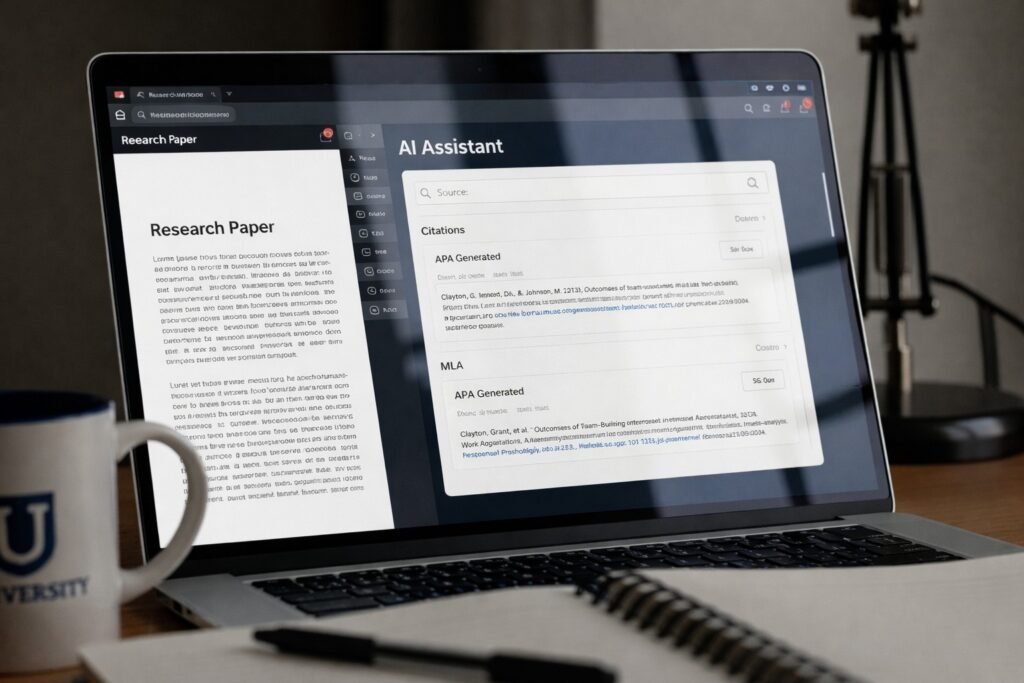
A free AI writing generator for students can save hours on brainstorming, outlining, and polishing drafts-but it can also create real academic risk if you submit AI-written text as your own. U.S. colleges increasingly enforce strict integrity rules (and often require citation transparency), so the “best” tool isn’t just the one that writes the smoothest paragraph. In this 2026 guide, we rank popular free options based on citation support (APA/MLA/Chicago), research accuracy, hallucination risk, and safe academic usage. You’ll see which tools are strongest for finding sources, which are best for structure and feedback, and how to use them without crossing the line into plagiarism or policy violations.
Table of Contents
How to Choose the Best AI Writer for Academic Needs
If you’re choosing an AI tool for college work, prioritize “academic safety” features over flashy prose. Here’s what to look for:
- Citation workflow (APA/MLA/Chicago)
- Can it point to real sources (links, PDFs, page numbers)?
- Does it generate usable citations, or just “citation-looking” text?
- Tip: A tool that cites verifiable links is usually safer than one that invents references.
- Hallucination rate (made-up facts and sources)
- Any AI can hallucinate. The key is whether the tool is designed to ground answers in sources (especially for research questions).
- For academic work, you want: traceable claims → original sources → your own synthesis.
- Data privacy and institutional policy fit
- Avoid pasting sensitive data (private grades, peer info, unpublished research) into tools that store prompts.
- Check whether your university has rules about uploading copyrighted readings or assignment prompts.
- Your intended use (safe vs. risky)
- Generally safer: topic exploration, outlining, thesis testing, counterarguments, editing for clarity, citation formatting help.
- Higher risk: generating full paragraphs to submit, rewriting sources without attribution, fabricating citations.
For a bigger-picture view of policy and productivity tradeoffs, see our hub on understanding academic automation tools.
Top Free AI Writing Generator for Students (2026 Ranked)
Perplexity AI: Best for Research and Citations
Overview: Perplexity is a search-engine + AI hybrid designed to answer questions with linked sources, making it especially useful for research workflows.
Official site: https://www.perplexity.ai/
Best For: U.S. college research papers, quick literature scans, and locating primary/credible secondary sources.
Plagiarism Detection: None built-in; the main safeguard is that it shows sources so you can verify and cite correctly.
Citation Support (APA, MLA, Chicago): High. Often provides inline citations/footnotes with links; you may still need to clean up formatting to match your professor’s exact requirements.
Free Plan Limitations: Limited “Pro” searches per day; basic queries use the standard model.
Pros
- Verifiable, link-based sourcing (helpful for building a Works Cited / References list)
- Strong for “find me credible sources on X” and “what does this paper argue?”
Cons
- Not designed for long-form essay drafting
- You still must read sources-summaries can miss nuance
Academic Integrity Considerations: Among the safer options for research support because it pushes you toward traceable evidence. Still, you must synthesize in your own words and cite properly to avoid academic misconduct.
Claude (Anthropic): The Premier AI Essay Helper Free
Overview: Claude is a top-tier large language model known for nuanced reasoning, strong writing quality, and large context windows (helpful for long PDFs and long drafts).
Official info: https://www.anthropic.com/claude
Best For: Analyzing long PDFs, outlining essays, improving structure, and getting detailed feedback on clarity and argument flow.
Plagiarism Detection: None.
Citation Support: Poor unless you provide the sources. Claude can produce convincing-but-fake citations if you ask it to “add sources” without giving it real references.
Free Plan Limitations: Daily message limits (often varies with demand/server load).
Pros
- Excellent at tone, coherence, and logic checks
- Great “writing center” style feedback and revision suggestions
Cons
- No live web access on the free tier (so it can’t reliably fetch/verify sources)
- Citation hallucination risk if you request references without supplying them
When thinking about Academic Integrity, think of it as a sparring partner or an editor, not a creator. Prompts can include: critique my thesis, identify an alternative view, make topic sentences more concise, help organize this section, then do the writing.
Microsoft Copilot: AI Writing Help for Students
Overview: Microsoft Copilot is a web-connected assistant (often GPT-4 class capability in certain modes) and is convenient if you already live in Microsoft’s ecosystem.
Best For: Quick outlining, summarizing web pages, drafting business-style reports, and formatting help (especially when you need something clean and presentable fast).
Plagiarism Detection: None.
Citation Support: Moderate. It can link to web sources, but APA/MLA/Chicago formatting should be verified manually.
Free Plan Limitations: Conversational turn limits and occasional throttling.
Pros
- Convenient access and strong general capability
- Web links can provide a “paper trail” for fact-checking
Cons
- Output can be generic (you must add specificity, course concepts, and citations)
- Citation formatting isn’t consistently “submission-ready”
Academic Integrity Considerations: Web links help you verify claims, but you still need to independently confirm accuracy, quote/attribute correctly, and comply with your course’s AI rules.
Evaluating ChatGPT Alternatives in Student AI Writing Tools
ChatGPT is popular, but relying on it alone can be suboptimal for U.S. college assignments because:
- Missing citations + hallucinations: General chat tools may speak with confidence while being incorrect. More often than not, they won’t give sources that can be verified.
- Academic formatting gaps: APA/MLA/Chicago requires precision; many chat-only workflows produce citations that look right but fail details (authors, dates, URLs, page numbers).
- Research vs writing: Students many times need research grounding before drafting. Hybrid tools (like sourcing in the style of Perplexity) are generally better for the research stage.
A strong workflow for many students is:
- Use a source-grounded tool for research + links,
- Use a writing-focused model for outline + revision feedback,
- Use an official style guide (or campus writing center) to finalize citations.
Are Free AI Essay Helpers Safe for Academic Use?
They’re “safe” only when used in ways your instructor allows-and when you avoid submitting AI-generated text as original work.
Key realities for U.S. college students:
- Submitting AI-generated writing as your own typically violates honor codes (even if it’s not copied from another student).
- AI detection exists, but it’s imperfect. Tools may flag human text and miss AI text; the bigger risk is policy violations and mismatched “voice,” facts, or citations.
- Turnitin and similar systems are widely used. Read Turnitin’s overview of AI writing detection here: https://www.turnitin.com/solutions/topics/ai-writing/
Safer academic uses (commonly allowed when disclosed or permitted):
- Brainstorming topics and research questions
- Creating an outline you then rewrite and expand yourself
- Grammar and clarity improvements on your own draft
- Turning notes into study guides (not graded submissions)
Risky uses (often prohibited):
- Generating full draft submissions
- Paraphrasing sources without citation
- Inventing references, quotes, or data
What Professors Say About AI Writing Tools
Most instructor guidance in 2025–2026 converges on a few points:
- Transparency matters: Many courses require disclosure of AI assistance (what tool, what you used it for).
- Process over product: Instructors increasingly grade outlines, drafts, and sources to confirm your thinking.
- Citation discipline is non-negotiable: AI does not remove your responsibility to cite correctly.
A practical step: follow established academic writing guidance and then layer AI on top. Purdue OWL is a widely recognized U.S. reference point for academic writing and citation rules: https://owl.purdue.edu/
(If your campus writing center has an AI policy page, treat that as the primary authority for your classes.)
Comparison Table: Top Tools at a Glance
| Tool | Best Feature | Citation Accuracy | Live Web Access |
| Perplexity AI | Source-grounded answers with links | High (verify formatting) | Yes |
| Claude (free) | Long-context outlining + revision feedback | Low unless you provide sources | No (free tier) |
| Microsoft Copilot (free) | Web-connected general assistant | Moderate (manual cleanup needed) | Yes |
Frequently Asked Questions (FAQ)
Q1: Is there a free AI writing generator for students with citations?
Yes-A good free option you could use for citation-first research is Perplexity AI since it is strong and offers linked sources. Just make sure you always check and confirm citations on the page/PDF and style them to whatever is required (APA/MLA/Chicago).
Q2: What is the best AI essay helper free for college assignments?
It depends on the assignment:
- Research + sources: Perplexity AI
- Outlining + improving your own draft: Claude (free)
- Quick web-backed summaries + formatting help: Microsoft Copilot
For most students, the best results come from combining a research tool (sources) with a revision tool (structure).
Q3: Are ChatGPT alternatives safe for students?
They can be, if you use them for allowed support tasks (outlining, brainstorming, clarity edits) and you follow your course policy. The risk isn’t just detection-it’s submitting work that violates academic integrity rules or includes wrong/fabricated information.
Q4: Can U.S. university professors detect AI writing tools?
Sometimes. Many instructors use a mix of:
- automated systems (e.g., Turnitin features where enabled),
- process checks (drafts, in-class writing, version history),
- and “voice consistency” (does this match your prior work?).
Detection isn’t perfect-so the best approach is policy compliance, not trying to “beat” detectors.
Q5: Which AI writer avoids plagiarism?
No AI tool guarantees 100% plagiarism-free output. Even original-looking AI text can:
- closely mirror patterns from training data,
- paraphrase a source too closely,
- or trigger AI detectors.
If you use AI, protect yourself by writing in your own voice, citing sources, and using plagiarism checking where your school permits.
Q6: How do I use AI for APA or MLA formatting?
Use AI to draft citations, then verify with an official guide:
- Ask the tool to format the citation in APA/MLA and include all fields (author, date, title, publisher, URL, access date if needed).
- Compare against a reliable reference (e.g., Purdue OWL: https://owl.purdue.edu/).
- Manually correct capitalization, italics, missing dates, DOI formatting, and page numbers.
Conclusion: Using AI Responsibly in College
The best free AI writing generator for students is Perplexity, Claude, and Copilot which are best for provided features. Perplexity is the best for research and citations, Claude is the best for outlining and structuring, and Copilot is the best general assistant because of web integration. Regardless, consider all AI as a supplement, not a substitute. Treat AI as a thinking supplement because the tool isn’t meant to do the thinking for the user. As such, submitting text generated by AI as original work violates policies of academic dishonesty because the text isn’t even plagiarized from another peer.
Ready to upgrade your research process? Choose one of the tools above to start outlining your next assignment safely, and read your university’s specific AI guidelines before beginning