


You’ve heard everyone talking about AI, but you don’t know where to start – and you definitely don’t want to pay $20/month to figure it out. The best free AI tools in 2026
Good news: you don’t have to. The best free AI tools in 2026 are genuinely powerful, genuinely free, and genuinely built for people who’ve never touched this stuff before. We spent weeks testing dozens of options so you don’t waste your time on tools that cut you off after 5 messages.
The best free AI tools in 2026 don’t just match paid options – many actually outperform them for beginners.
At LegitLoaded, we cover music, culture, and the tech that shapes them. We’ve been deep in the AI space since before it blew up – and we’ve watched too many beginners get burned by “free” tools that aren’t. This guide is the real one.
WHAT YOU’LL LEARN IN THIS GUIDE
Why the Best Free AI Tools in 2026 Are Something You Can’t Ignore
AI isn’t coming. It’s already here – and it’s already being used by your competition.
That’s exactly why understanding the best free AI tools in 2026 matters – you can start today without spending anything.
By the Numbers: A 2025 YouGov survey found that 76% of Americans under 30 already use AI tools. In 2026, 194.9 million Americans actively use AI in their day-to-day lives. And per Microsoft research, 61% of workers use AI tools at least weekly. (Sources: YouGov/Brookings 2025, resourcera.com 2026, Microsoft 2025)
That last number matters. If you’re a musician, a creator, a freelancer, or just someone trying to get ahead – your peers are already using the best free AI tools in 2026 to gain an edge.
Here’s what nobody tells you: you don’t need to pay for any of it to start. The free tiers from today’s top platforms are legitimately powerful. The trick is knowing which ones to pick – and which ones to avoid.
So if you’ve been hesitant because of subscription costs, here are the best free AI tools in 2026 that actually deliver real value without hidden paywalls.
Let’s break down the top free AI tools in 2026 that actually deliver.
The 8 Best Free AI Tools for Beginners in 2026
How We Researched This: We personally tested each tool on real tasks over 3+ weeks. We tracked message limits, export restrictions, watermarks, and real-world usability on mobile. Every rating reflects actual experience, not PR copy and organized The best free AI tools in 2026.
1. ChatGPT (Free Tier) – The Starting Point for Everyone
Best for: Total beginners who want a smart assistant that can do almost anything.
What it is: ChatGPT is an AI chatbot built by OpenAI. You type a question or request – it answers in plain English. It can write, brainstorm, explain concepts, summarize articles, edit your lyrics, and more. The free tier now runs on GPT-4o mini, which is faster than earlier versions.
How to use it:
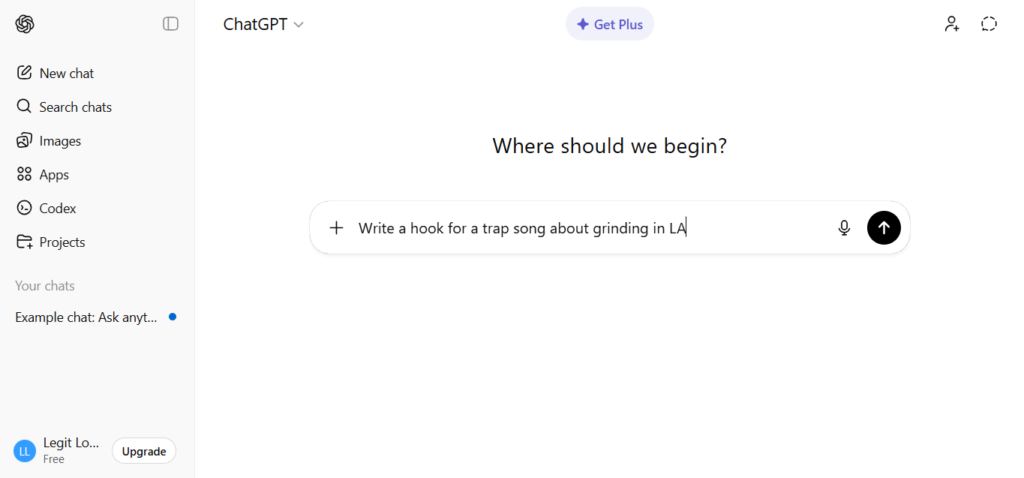
- Go to chat.openai.com – no credit card needed to sign up
- Type your request in plain English (e.g., “Write a hook for a trap song about grinding in LA”)
- Read the response – if you don’t like it, type “make it shorter” or “make it more aggressive”
- Copy what you need and use it immediately
Real example: Say you’re an indie rapper in Atlanta trying to write a bio for your SoundCloud page. Type: “Write a 3-sentence bio for a trap rapper from Atlanta named Lil Dre who just dropped his first EP.” ChatGPT spits out something solid in 5 seconds. Tweak it. Done.
Pros:
- No learning curve – if you can text, you can use it
- Free tier is genuinely useful for writing, brainstorming, and Q&A
- Available as a mobile app on iOS and Android in the USA
- Handles music-related prompts surprisingly well (lyrics, bios, press releases)
Cons (Brutally Honest):
- Free tier hits rate limits during peak hours – you’ll see “You’ve reached your limit for GPT-4o, switching to mini”
- No image generation on the free plan (you’ll need to pay for that)
- It can confidently give wrong answers – always double-check facts
Free vs. Paid: Free gives you solid daily access to GPT-4o mini; paid ($20/month) unlocks GPT-4o with higher message caps, image generation, and advanced voice mode.
LegitLoaded Rating: 9/10 – The best starting point in 2026. Period.
2. Google Gemini – Best Free AI tool for Research and Google User
Best for: Anyone who lives in Google Docs, Gmail, or YouTube – and needs AI that connects to all of it.
What it is: Gemini is Google’s AI assistant. The free version now runs on Gemini 2.0 Flash, which is fast and capable for everyday tasks. It plugs directly into Google’s tools – so if you use Docs or Gmail, it already lives there.
How to use it:
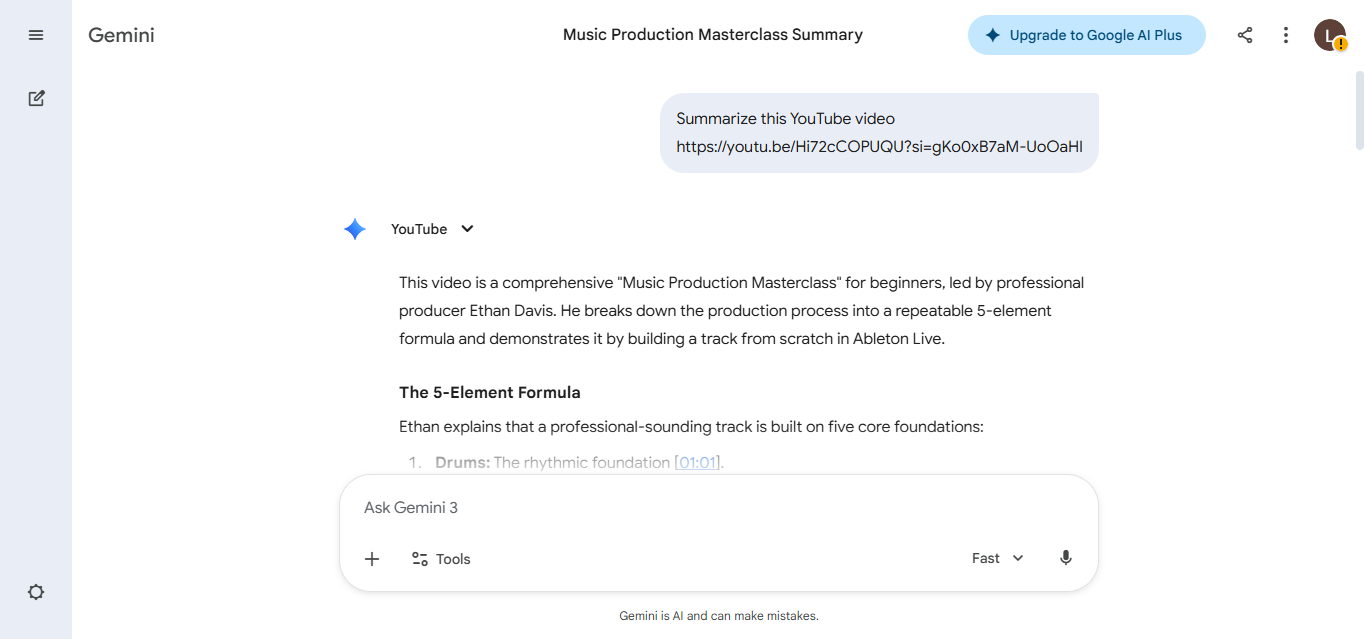
- Go to gemini.google.com – sign in with any Google account
- Ask it anything: “Summarize this YouTube video” or “Help me reply to this email”
- For music tasks: “Give me 5 song concepts in the style of SZA for an R&B EP”
- Export or copy directly into your Google Doc
Real example: You’re an indie producer who found a 45-minute interview with Metro Boomin on YouTube. Drop the link into Gemini and ask it to pull the key production tips. Takes 30 seconds instead of an hour.
Pros:
- Completely free with generous daily limits
- Deep integration with Google Workspace (Docs, Gmail, Drive)
- Great at summarizing long content and YouTube videos
- Strong for research-based tasks
Cons:
- Not as conversational or creative as ChatGPT for pure writing tasks
- Gemini’s image generation (Imagen) has restrictions on certain types of content
- Can feel corporate – less personality than other tools
Free vs. Paid: Free tier covers most tasks. Gemini Advanced ($19.99/month) adds Gemini 2.0 Pro, higher file limits, and deeper Workspace integration.plenty of Ai features are free to access today – no technical skills required.
LegitLoaded Rating: 8.5/10 – The best free AI if you’re already in the Google ecosystem.
3. Perplexity AI – The Free Tool That Actually Cites Its Sources
Best for: Anyone who’s tired of AI making stuff up. Great for fact-checking, research, and real-time news.
What it is: Perplexity is like a smarter search engine crossed with a chatbot. You ask it a question, it searches the web in real time, and then gives you a summarized answer with direct citations. You can actually see where it got the info. That’s rare.
How to use it:
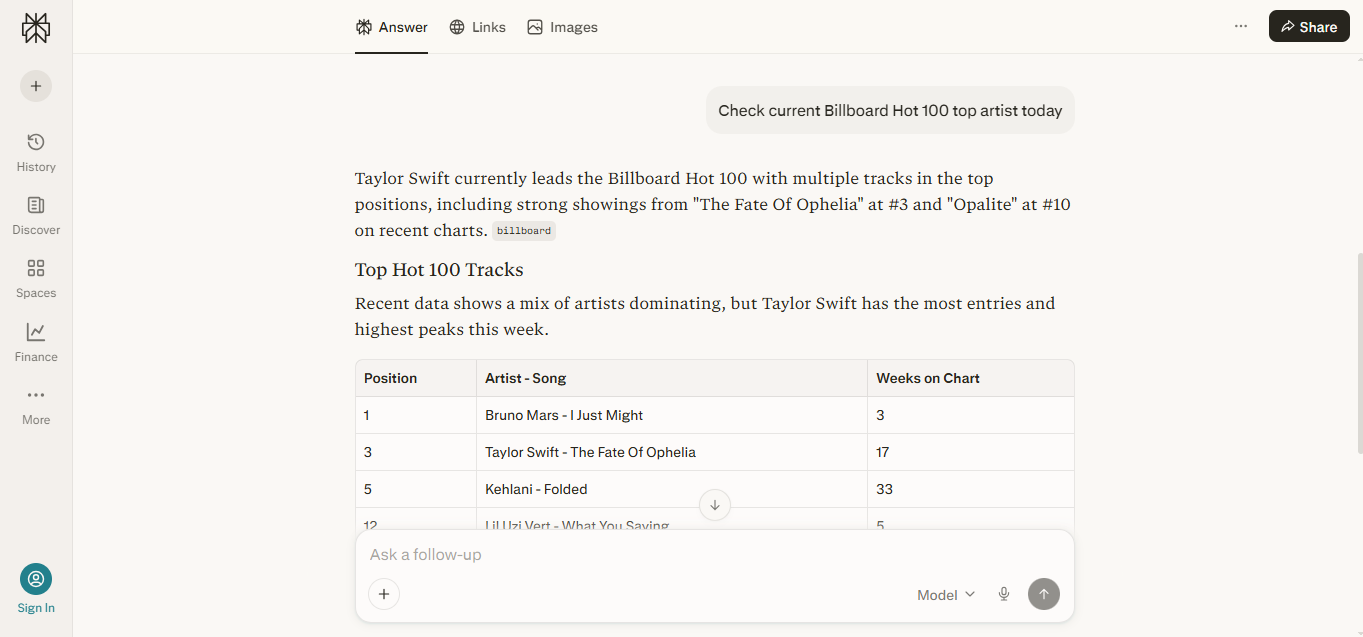
- Go to perplexity.ai – no account needed to start
- Type your question like you’re texting someone: “Who is the top-selling rapper on Billboard right now?”
- Read the answer AND check the sources it shows on the right
- Click “Ask follow-up” to go deeper without starting over
Real example: You’re writing a blog post about hip-hop in 2026 and need real stats. Ask Perplexity: “What are the top-selling hip-hop albums on Luminate charts in 2025?” It pulls real data with links you can cite. No hallucinations. No guessing.
Pros:
- Cites sources – huge for anyone who needs accurate info
- No login required on the free version
- Real-time web search built in (no knowledge cutoff issue)
- Great for music news, chart data, and current events
Cons:
- “Pro searches” (the more powerful, deeper searches) are limited to 3 per day on the free tier
- Not the best for creative writing tasks – it’s built for research
- Interface feels minimal – not as user-friendly for pure beginners
Free vs. Paid: Free gets you unlimited standard searches with source citations. Pro ($20/month) adds Claude Sonnet, GPT-4o, and unlimited deep searches.
LegitLoaded Rating: 8/10 – The most trustworthy free AI for finding real information.
4. Canva AI (Magic Studio) – Free Creative AI Tool That Doesn’t Need Designers
Best for: Musicians, artists, and creators who need album covers, social media graphics, and promotional content – without hiring a designer.
What it is: Canva is a design tool that millions already use. In 2026, their AI suite called Magic Studio is built right in. You describe what you want – it generates images, writes captions, removes backgrounds, and creates full social media kits. The free tier is surprisingly deep.
How to use it:
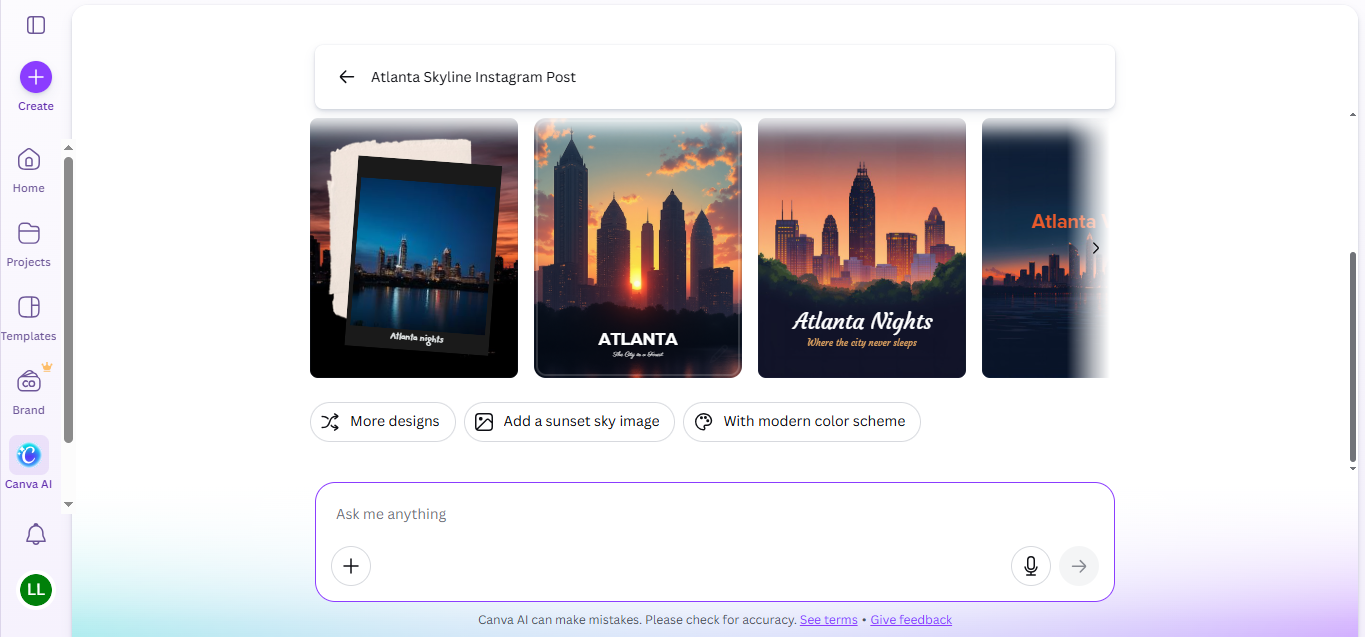
- Sign up at canva.com – free with email or Google account
- Click “Create a design” and pick your format (Instagram Post, YouTube Thumbnail, etc.)
- Use “Magic Write” to generate caption text, or “Text to Image” to make a custom visual
- Download your design – free tier does not watermark standard designs
Real example: You’re dropping a single next Friday. Open Canva, pick “Instagram Story,” type in your track name and vibe (“dark trap, midnight, Atlanta skyline”), and use Magic Studio’s image generator to create the cover art. Adjust the text. Export. Done in under 10 minutes.
Pros:
- The free tier lets you download clean designs with no watermark
- Magic Write AI generates solid copy for social posts, bios, and captions
- Thousands of free templates for music promotion
- Available on mobile – works great on your phone
Cons:
- Magic Media (video/advanced image AI) is locked behind Canva Pro ($12.99/month)
- Free storage is limited to 5GB
- AI image generation quality is good but not as detailed as specialized tools like Leonardo AI
Free vs. Paid: Free tier covers most design needs. The only hard wall is advanced AI video and premium image generation. One of the best image genration tool in 2026.
LegitLoaded Rating: 9/10 – The best free creative AI for musicians and content creators. No contest.
5. Google NotebookLM -The Free AI Tool That Learns From Your Own Files
Best for: Students, researchers, and anyone who needs to understand large amounts of information fast – without reading everything twice.
What it is: NotebookLM is a free AI research tool from Google. You upload your own files – PDFs, notes, Google Docs, audio files, website links – and it becomes an expert on only that content. Then you ask it questions, get summaries, or generate an Audio Overview (a podcast-style conversation between two AI hosts that explains your material out loud).
How to use it:
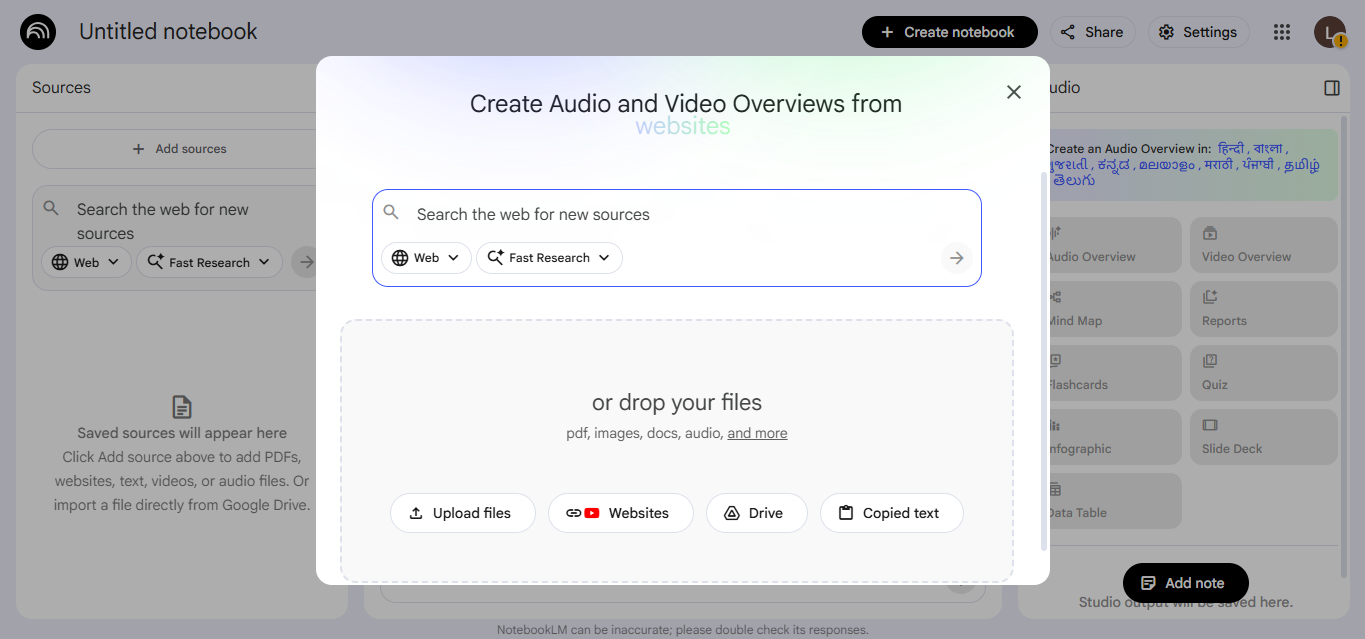
- Go to notebooklm.google.com – sign in with a Google account
- Click “New Notebook” and upload your files (PDFs, links, docs)
- Ask it questions in the chat: “What are the main arguments in this document?”
- Click “Audio Overview” to turn your notes into a podcast you can listen to on the go
Real example: You’re studying music business and you’ve got 10 PDFs of contracts, industry reports, and royalty guides. Upload them all. Ask: “In plain English, what should I look for in a record label contract?” NotebookLM pulls from your actual documents and gives you a plain-English breakdown. That’s a music lawyer-level summary for free.
Pros:
- Completely free – generous limits (100 notebooks, 50 sources each)
- Audio Overview feature is genuinely mind-blowing for auditory learners
- It never uses outside internet – only answers from your files
- Zero hallucinations because it only works from what you give it
Cons:
- Useless without your own source material – it can’t browse the web on its own
- Audio Overview is English-only right now
- Mobile experience is less polished than desktop
Free vs. Paid: Completely free as of February 2026. No paid tier exists yet.
LegitLoaded Rating: 9.5/10 – The most underrated free AI tool on this entire list.
6. ElevenLabs (Free Tier) – AI Voice for Podcasters, Rappers, and Creators
Best for: Anyone who needs realistic AI-generated voiceovers, audio content, or voice clones without paying studio rates.
What it is: ElevenLabs is the leading AI voice platform. The free tier lets you generate 10,000 characters of speech per month – that’s roughly 10–15 minutes of high-quality audio. You can pick from dozens of pre-built voices or create your own custom voice profile.
How to use it:
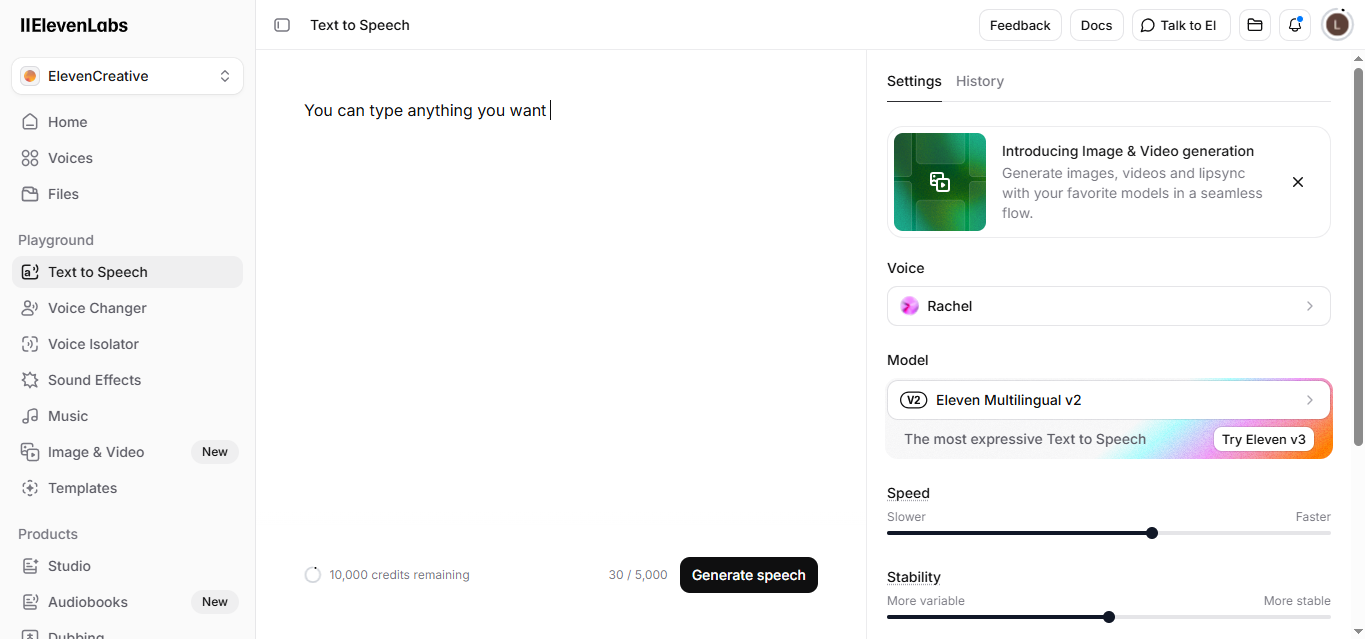
- Sign up at elevenlabs.io – free with email
- Paste your text into the Studio editor
- Pick a voice style from the library (there are dozens of real-sounding options)
- Click “Generate” and download your audio
Real example: You’re dropping a 2-minute podcast episode about the hip-hop industry and you need a professional intro voice-over. Paste your script into ElevenLabs, pick a deep broadcast-style voice, and export a clean MP3 in 60 seconds. No studio. No equipment. No cost.
Pros:
- Voice quality is genuinely indistinguishable from human in many cases
- Free tier is enough for short podcast intros, ads, and social audio
- Works great for music promotion content, trailers, and YouTube intros
- Speech to speech (voice style transfer) available on free plan
Cons:
- 10,000 characters/month is tight if you’re producing content regularly
- Free tier requires you to publicly credit ElevenLabs for commercial use
- Voice cloning your own voice requires the paid Starter plan ($5/month minimum)
Free vs. Paid: Free tier = 10,000 characters/month, 3 custom voices max. Starter plan ($5/month) gives you 30,000 characters and removes the attribution requirement.
LegitLoaded Rating: 8/10 – Incredible tool. The free limit just runs out faster than you’d like.
7. Leonardo AI – Free AI Image Generation That Slaps
Best for: Visual artists, musicians, and creators who need custom AI-generated images for album art, merch concepts, or social content.
What it is: Leonardo AI is a free AI image generator that gives you 150 daily tokens (enough for 50+ images) every single day. Unlike some competitors, the free tier doesn’t watermark your images. It runs on multiple AI models so you can pick the style that fits your aesthetic.
How to use it:
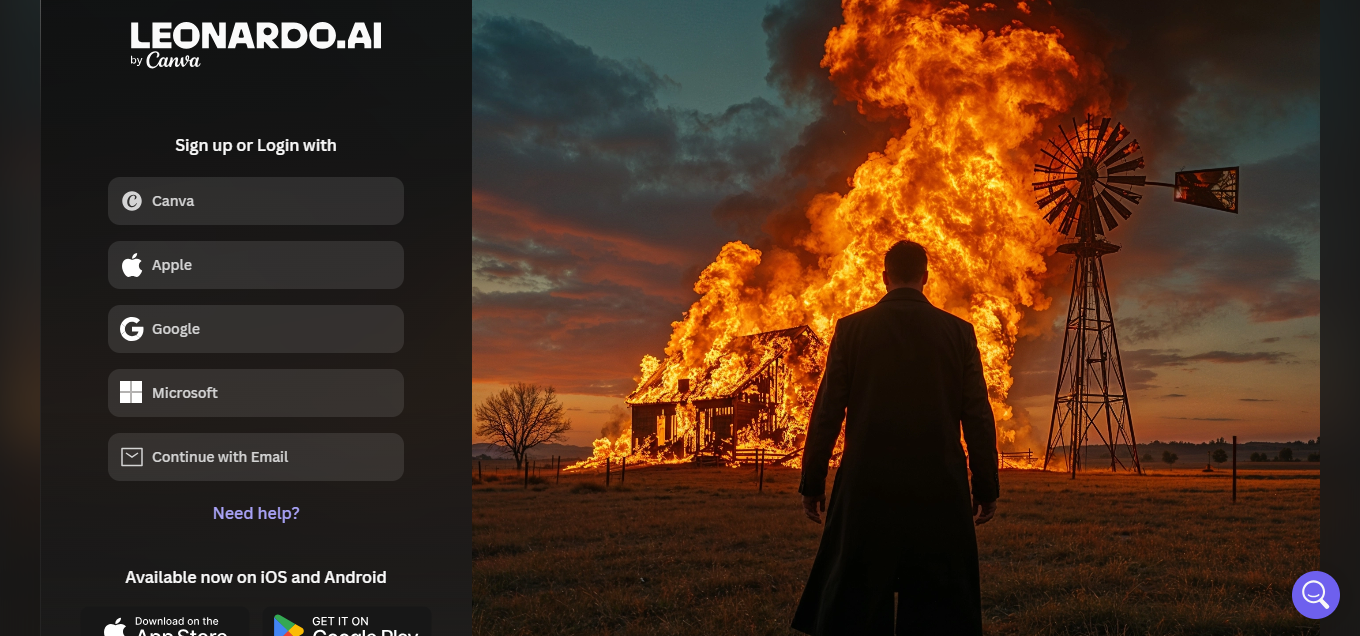
- Create a free account at leonardo.ai
- Click “Image Generation” – choose your model based on desired style
- Type your prompt: “Dark trap aesthetic, hooded figure, neon cityscape, Atlanta, photorealistic”
- Generate 4 options at once – download the best one free
Real example: You need a YouTube thumbnail for your new freestyle. Open Leonardo, type your aesthetic, pick the “PhotoReal” model, and generate 4 options. Pick your favorite, drop it in Canva to add text, and you’ve got a professional thumbnail in under 5 minutes – without paying a graphic designer $150.
Watch Out: Leonardo’s free tokens reset every 24 hours, but they don’t roll over. Use them or lose them.
Pros:
- 150 free tokens daily – the most generous free image AI limit we found
- No watermarks on free downloads
- Multiple model options let you pick between realistic, artistic, and anime styles
- Great for album art concepts, merch mockups, and social media
Cons:
- Prompting takes practice – vague prompts give you generic results
- Some advanced models (like Kino XL) cost more tokens per image
- Generating realistic faces can be inconsistent
Free vs. Paid: Free tier covers heavy daily use for most creators. Paid plans start at $10/month for 2,500 tokens/month plus faster generation.
LegitLoaded Rating: 8.5/10 – The best free image AI for music creators in 2026.
8. Meta AI – The Free AI Already Living in Your Apps
Best for: Anyone who already uses Instagram, WhatsApp, Facebook, or Messenger and wants AI without downloading anything new.
What it is: Meta AI is built directly into Instagram, WhatsApp, Facebook, and Messenger in the USA. It’s powered by Meta’s Llama AI models. You can chat with it, ask questions, and even generate images for free – inside apps you’re already in.
How to use it:
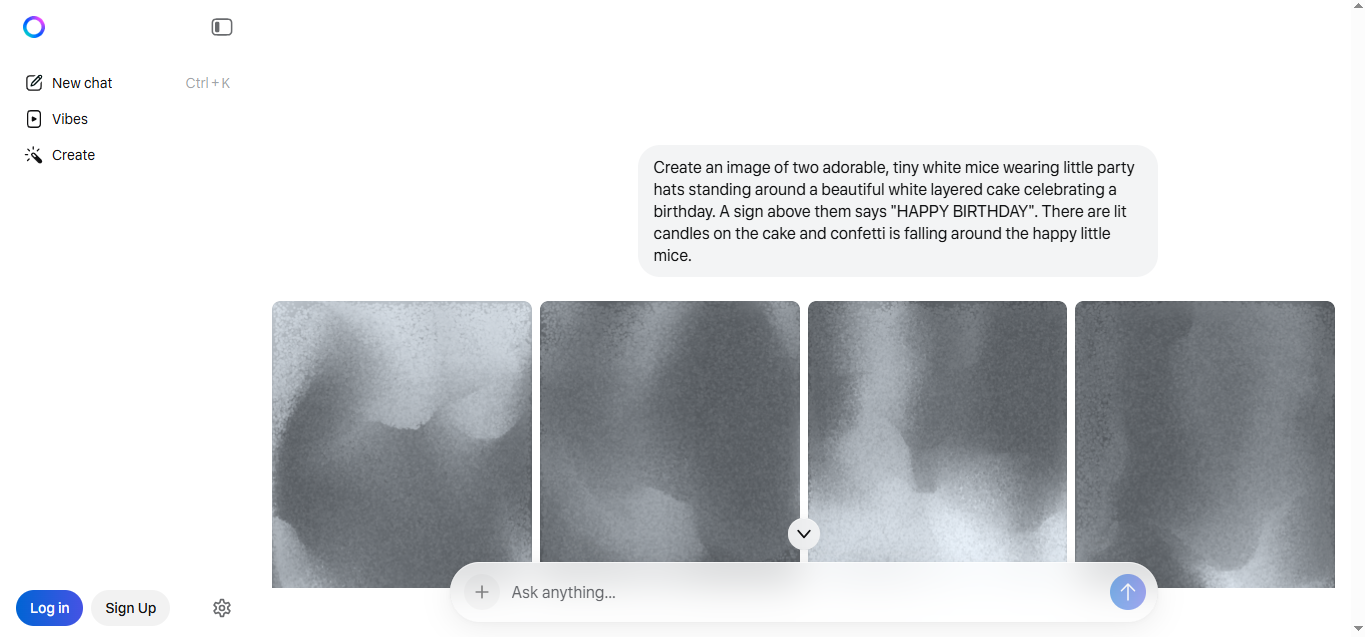
- Open Instagram or WhatsApp on your phone
- Tap the search bar or the Meta AI circle icon
- Type your question or request – it responds instantly in the chat
- For image generation, type: “Imagine [describe your image]”
Real example: You’re on Instagram between sessions and you need quick inspiration. Ask Meta AI: “Give me 5 creative concepts for a music video for a sad trap song about losing a friend.” It answers right inside Instagram. No new app. No signup. Already free.
Pros:
- Completely free – no account needed beyond your existing social media
- Image generation (including animated GIFs) is free – no extra charge
- Zero friction: it’s already where you spend your time
- Available on iOS and Android across all major Meta platforms in the USA
Cons:
- Not as powerful as ChatGPT or Gemini for long, complex tasks
- Meta AI uses your interactions to improve its models – privacy consideration
- Limited to conversational chat – no file uploads or document analysis
Free vs. Paid: Meta AI is completely free with no paid tier in the US as of February 2026.
LegitLoaded Rating: 7.5/10 – The easiest entry point if you’re not ready to open a new app.
Comparison Table: Free AI Tools at a Glance
Here’s how the best free AI tools in 2026 stack up side-by-side when it comes to limits, availability, and real-world usability:
| Tool | Best For | Daily Free Limit | USA Available? | Skill Level | LegitLoaded Rating |
| ChatGPT | Writing, brainstorming, Q&A | Dynamic (caps during peak) | Yes | Beginner | 9/10 |
| Google Gemini | Research, Google Workspace | Generous daily | Yes | Beginner | 8.5/10 |
| Perplexity AI | Fact-checking, real-time search | Unlimited standard + 3 Pro | Yes | Beginner | 8/10 |
| Canva AI | Design, social graphics | Unlimited (basic design) | Yes | Total Beginner | 9/10 |
| NotebookLM | Research, document analysis | 100 notebooks, 50 sources each | Yes | Beginner | 9.5/10 |
| ElevenLabs | AI voiceover, audio | 10,000 characters/month | Yes | Intermediate | 8/10 |
| Leonardo AI | Image generation | 150 tokens/day | Yes | Beginner | 8.5/10 |
| Meta AI | Quick Q&A, social media use | Unlimited | Yes | Total Beginner | 7.5/10 |
Data verified as of February 2026. Check official sites for updates.
If you’re specifically looking for the best AI tools without subscription commitments, these free tiers already cover most beginner needs.
Your Top Questions Answered
What is the best free AI tool for a complete beginner in 2026?
ChatGPT’s free tier tops our list of the best free AI tools in 2026 for most beginners. It requires no technical knowledge – just type in plain English and it responds. For creative tasks like design and visuals, Canva AI’s free tier is equally beginner-friendly and requires zero design skills to use effectively.
Which AI tools are completely free – no credit card required?
ChatGPT, Google Gemini, Perplexity AI, NotebookLM, Canva (free plan), Meta AI, and Leonardo AI all offer genuinely usable free tiers with no credit card required at signup. ElevenLabs also doesn’t require payment to start, though its free voice limit is 10,000 characters per month.
Is ChatGPT still free to use in 2026?
Yes. ChatGPT’s free tier is still available in the USA in 2026. The free plan uses GPT-4o mini and has dynamic rate limits – meaning if a lot of people are using it at once, you may get temporarily capped or switched to a slower model. The paid Plus plan ($20/month) gives you priority access and GPT-4o with higher limits.
What is AI and how does a beginner actually start using it?
AI (Artificial Intelligence) is software that can understand your questions and generate useful responses – text, images, audio, or code. For a beginner, the fastest way to start is to go to chat.openai.com, create a free account, and just type something you need help with, like writing an email or explaining a confusing topic. You don’t need to know anything technical to begin.
Are free AI tools safe to use?
Generally yes – major platforms like ChatGPT, Google Gemini, and Canva have strong privacy policies and are used by hundreds of millions of people. That said, you should never paste sensitive personal information (like Social Security numbers, passwords, or private financial data) into any AI tool. For extra caution, read each platform’s data policy before uploading documents.
Can free AI tools actually replace paid software?
For many everyday tasks – yes. Canva’s free tier can replace a basic paid design subscription. NotebookLM can replace a paid research assistant. ChatGPT and Gemini together can handle most writing and brainstorming needs without any paid tool. The limits only become a hard wall when you’re producing at a professional, high-volume level daily.
ChatGPT’s free tier tops our list of the best free AI tools in 2026 for most beginners. It requires no technical knowledge – just type in plain English and it responds. For creative tasks like design and visuals, Canva AI’s free tier is equally beginner-friendly and requires zero design skills to use effectively.
ChatGPT, Google Gemini, Perplexity AI, NotebookLM, Canva (free plan), Meta AI, and Leonardo AI all offer genuinely usable free tiers with no credit card required at signup. ElevenLabs also doesn’t require payment to start, though its free voice limit is 10,000 characters per month.
Yes. ChatGPT’s free tier is still available in the USA in 2026. The free plan uses GPT-4o mini and has dynamic rate limits – meaning if a lot of people are using it at once, you may get temporarily capped or switched to a slower model. The paid Plus plan ($20/month) gives you priority access and GPT-4o with higher limits.
AI (Artificial Intelligence) is software that can understand your questions and generate useful responses – text, images, audio, or code. For a beginner, the fastest way to start is to go to chat.openai.com, create a free account, and just type something you need help with, like writing an email or explaining a confusing topic. You don’t need to know anything technical to begin.
Generally yes – major platforms like ChatGPT, Google Gemini, and Canva have strong privacy policies and are used by hundreds of millions of people. That said, you should never paste sensitive personal information (like Social Security numbers, passwords, or private financial data) into any AI tool. For extra caution, read each platform’s data policy before uploading documents.
For many everyday tasks – yes. Canva’s free tier can replace a basic paid design subscription. NotebookLM can replace a paid research assistant. ChatGPT and Gemini together can handle most writing and brainstorming needs without any paid tool. The limits only become a hard wall when you’re producing at a professional, high-volume level daily.
What the Pros Know (That Beginners Don’t)
Tip 1: The prompt is everything. The quality of what AI gives you is 100% tied to the quality of what you ask it. “Write a song” gives trash. “Write a 16-bar verse in the style of Kendrick Lamar’s DAMN. album, about growing up broke in Compton, rhyme scheme AABB” gives something you can actually work with. The more specific you are, the better the output.
Tip 2: Use multiple tools together, not just one. Real power users don’t pick one AI – they stack them. Use Perplexity to research facts. Feed those facts into ChatGPT to write content around them. Drop the content into Canva to make a visual. This “AI stack” approach is what professional creators are doing right now.
Tip 3: NotebookLM is the most slept-on tool among the best free AI tools in 2026.Most people have never heard of it. But music industry professionals who use it to analyze contracts, understand licensing agreements, and study market research are getting a massive edge. Upload the documents. Ask the questions. Get answers that would cost $500/hour from a lawyer to explain. it really deserves to be in The best free AI tools in 2026 list.
Tip 4: Free limits reset – use them daily. Leonardo AI gives you 150 fresh tokens every 24 hours. ElevenLabs resets monthly. If you use these consistently, you can build an entire content pipeline at zero cost. The creators losing this game aren’t people who can’t afford AI – they’re people who aren’t being consistent about it.
Pro Tip: Imogen Heap, Grammy-winning artist and music tech pioneer, has spoken publicly about AI being the “great equalizer” for indie artists. That wasn’t marketing. The access gap between a major label and an indie artist has never been smaller than it is right now in 2026.
Keep Building Your Knowledge
If you’re serious about staying ahead in music and technology, these LegitLoaded deep-dives will help you go even further:
How TikTok drives music virality in the USA is a must-read if you want to understand how to use content strategy alongside your new AI toolkit – because creating great content and distributing it are two completely different skills. https://legitloaded.com/how-tiktok-drives-music-virality-usa/
We also cover how independent artists are using AI in the studio – from beat-making tools to lyric assistants – in a separate breakdown that goes deep on the music production side of this conversation. https://legitloaded.com/
Editor’s Verdict
Here’s the truth: the biggest mistake beginners make with AI in 2026 isn’t picking the wrong tool. It’s not starting at all because it feels overwhelming.
If I had to pick one tool for someone who’s never used AI before, it’s NotebookLM – specifically because it doesn’t hallucinate, it works from your own documents, and it removes the frustrating guessing game that makes beginners quit. Upload something you actually care about understanding – a contract, a business plan, a music theory textbook – and ask it questions. Within 10 minutes, you’ll get why this stuff changes everything.
These are the best free AI tools in 2026 for a reason – they actually work without asking for your credit card.
The bottom line? The best free AI tools in 2026 are powerful enough to get you started today – no subscriptions required.
You’re not behind. But you’re getting closer to being behind every day you wait.
Right now, go to notebooklm.google.com, sign in with your Google account, create a new notebook, and upload one document that matters to you. It takes less than 3 minutes – and it’ll change how you work today.The reality is simple – free AI tools 2026 aren’t limited anymore; they’re powerful enough for real work.
Written by Peter Morris | Senior Music & Tech Journalist Peter covers the intersection of hip-hop culture, music technology, and the US entertainment industry for LegitLoaded.com. With 15+ years covering the US music scene, he’s reported on everything from the streaming revolution to the AI tools now reshaping how independent artists create and promote their work. This article was fact-checked by the LegitLoaded Editorial Team and last verified in February 2026.